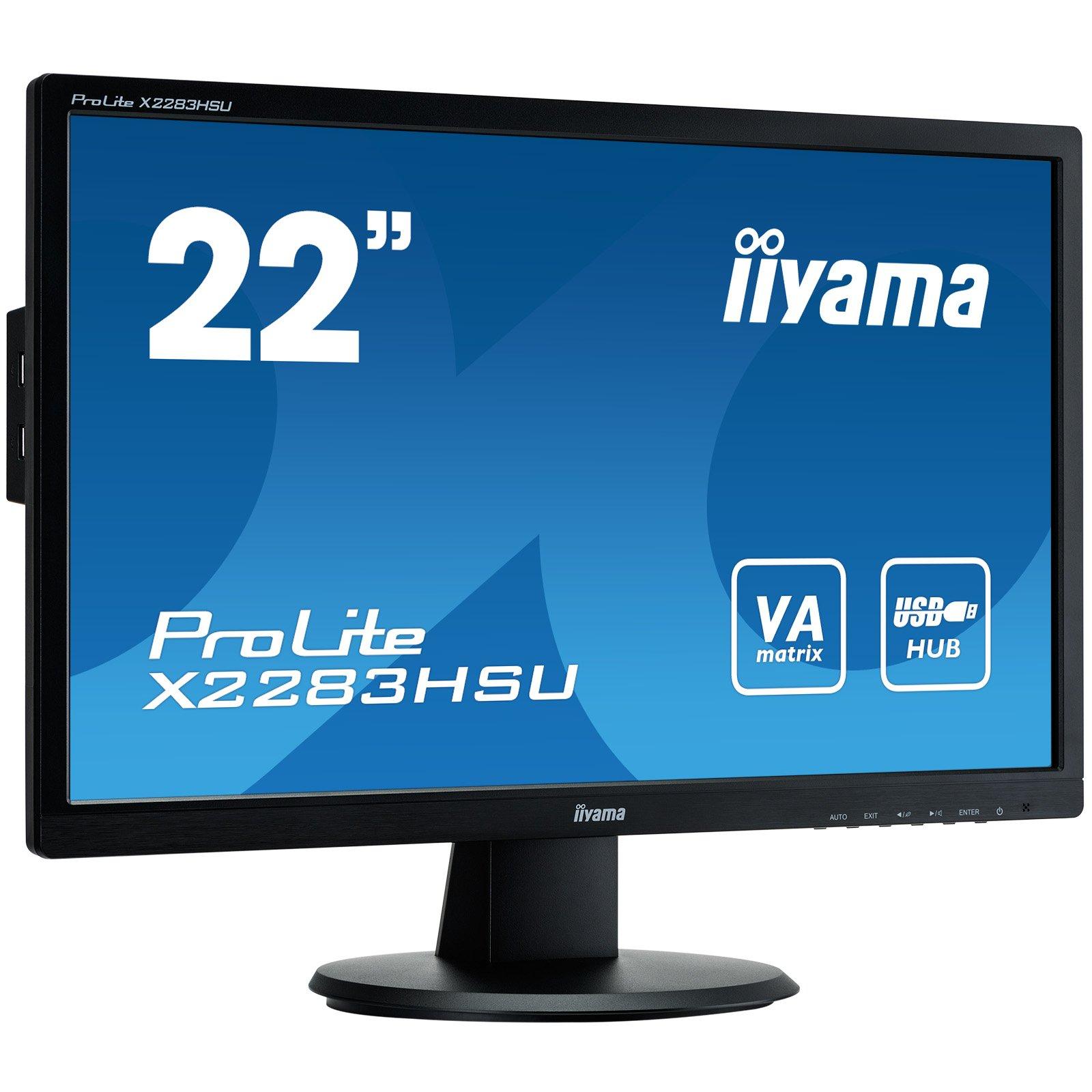
Iiyama ProLite X2283HSU-B1DP - LED Computer Monitor - 22 Inches (21.5 Inches viewable) - 1920 x 1080 Full HD (1080p) - VA - 250 cd/m2 - 3000:1 - 5 ms - DVI-D, VGA, DisplayPort - speakers - black


Sponsored This site contains affiliate links for which we may receive compensation. More information
Find other available options:

| Identifiers | |
|---|---|
| Model | iiyama X2283HSU-B1DP |
| MPN | iiyama X2283HSU-B1DP |
| Dimensions / Weight | |
| Key Features | |
|
AC adapter included Indicates whether the product comes with an AC power adapter included in the package. A value of "Yes" means a charger is supplied, while "No" indicates that no charger is provided and the user must obtain one separately.
|
Yes |
|
AC input frequency The frequency of the alternating current supplied to a power supply or charger, expressed in hertz (Hz). It indicates the acceptable operating range for the electrical mains that powers the device, ensuring proper functionality and safety.
|
50 - 60 Hz |
|
AC input voltage The range of alternating current voltage that the product accepts from its power source, expressed in volts (V). It indicates the minimum and maximum supply voltages compatible with the device across different regions.
|
100 - 240 V |
|
AC power in Indicates whether the product requires an AC mains power supply. A value of "Yes" means the device can be powered from a standard electrical outlet, while "No" indicates it does not use AC mains power (e.g., battery‑powered or USB‑only devices).
|
Yes |
|
Aspect ratio The proportion between the width and height of a display, image or video, expressed as two numbers separated by a colon (e.g., 16:9). It indicates whether content is designed for widescreen, square, or other aspect ratios.
|
16:9 |
|
Backlight technology The type of backlighting used in a display panel, such as LED, WLED, CCFL or LCD. It indicates the illumination source that provides uniform light behind the screen for image rendering.
|
LED backlight |
|
Built-in camera Indicates whether the product includes a built‑in camera that can capture images or video directly, without requiring an external device. A value of "Yes" means the device has such a camera; "No" means it does not.
|
No |
|
Built-in devices A list of the built‑in components or devices that are permanently integrated into a product, such as cameras, microphones, speakers, displays, storage units, or other hardware modules. Each entry represents a distinct component type that is included without requiring external accessories.
|
USB 2.0 hub |
| Built-in USB Hub | Yes |
|
Cable lock slot Indicates whether the product includes a slot for inserting a cable lock, such as a Kensington or similar security device.
|
Yes |
|
Cable lock slot type Specifies the type of interface or mechanism used to secure a cable in its port, such as Kensington, Noble, IBM, or other standard lock slots. This attribute helps users identify compatibility and security features of the device.
|
Kensington |
|
Cables included A list of the cable types that are supplied with the product, such as USB, HDMI, VGA, DisplayPort, LAN (RJ‑45), SATA, audio or other relevant connectors.
|
AC,DVI,DisplayPort,Audio (3.5mm),USB |
|
Certification A list of official certifications or compliance marks that the product has received from regulatory bodies, safety organizations, or industry standards groups. Each entry represents a distinct certification such as CE, FCC, RoHS, UL, or WEEE, and may include additional details like version numbers or specific test reports.
|
TCO, CE, TUV-GS, VCCI-B, CU |
|
Colour The colour or combination of colours that a product is available in, expressed as common names such as "Black", "Silver" or comma‑separated lists like "Black, White". It indicates the visual appearance of the item for consumers.
|
Black |
|
Colour support The number of distinct colours that a display or image can represent, expressed as an integer value such as "16.7 million colours". This metric indicates the richness and fidelity of colour reproduction for visual media.
|
16.7 million colours |
| Compliant Standards | TUV GS, DDC-2B, VESA DPMS, DDC/CI, TCO Displays 6.0, VCCI Class B |
|
Contrast ratio The contrast ratio is the proportion between the brightest and darkest luminance a display can produce, expressed as a simple ratio such as 1000:1. It indicates how well a screen can differentiate light from dark areas, affecting image clarity and color depth.
|
3000:1 |
|
Controls The type of user interface used to operate the product, such as manual dials, touch controls, push buttons or electronic switches. It indicates how a consumer interacts with the device to adjust settings or initiate functions.
|
Mute, volume, brightness, contrast, H/V position, sharpness, input select, phase, clock |
|
DDC/CI Indicates whether the product includes a power‑saving feature that reduces energy consumption when the device is idle or in low‑activity states.
|
Yes |
|
Diagonal size The diagonal measurement of a display screen expressed in inches or centimeters. It indicates the overall visual area available for content and is commonly used to compare monitors, televisions, laptops, tablets, and other electronic devices.
|
22" |
| Display | LED |
| Display diagonal | 54.7 cm |
|
Display Diagonal The measurement of a display’s diagonal, expressed in inches or centimeters. It represents the overall visual area available for content and is commonly used to compare monitors, televisions, laptops, tablets, and other electronic devices.
|
54.6 cm (21.5") |
|
Display number of colours The total count of distinct colours that a display can render, typically expressed as a numeric value (e.g., 16.78 million). This attribute indicates the colour depth and richness of the visual output; higher numbers generally mean more accurate and vibrant images.
|
16.78 million colors |
|
Display position adjustments A list of the possible mechanical adjustments that can be made to a display’s position, such as tilt, height adjustment, swivel, and pivot (rotation). It indicates which movements are available on the product so users know how they can orient or level the screen for optimal viewing.
|
Tilt |
|
Display resolution The pixel dimensions of a display or image, expressed as width by height (e.g., 1920x1080). It indicates how many pixels are used to render visual content and is commonly used for monitors, TVs, smartphones, cameras, and digital images.
|
1920x1080 |
|
Display surface The visual appearance or texture of a product’s display surface, such as matte, glossy, or satin. It indicates how light reflects off the screen and can affect glare, visibility, and aesthetic preference for users.
|
Matt |
|
Display type The type of visual panel or display technology used in a product, such as LCD, LED, OLED, TFT, IPS, AMOLED, or analog. It indicates the underlying technology that determines image quality, color reproduction, power consumption and suitability for different use cases.
|
LED-backlit LCD monitor / TFT active matrix |
|
Displayports quantity The total count of physical or virtual display output connections available on a device, such as HDMI, DisplayPort, DVI, VGA, or USB‑C ports that support video output.
|
1 |
|
DVI port Indicates how many DVI connectors are present on the product. The value is a simple integer representing the total count of DVI ports, regardless of type or version.
|
Yes |
|
Energy Star certified Indicates whether the product has been certified by Energy Star, a recognized standard for energy efficiency in appliances and electronics.
|
Yes |
|
EPEAT Compliance The level of a product’s compliance with the EPEAT (Electronic Product Environmental Assessment Tool) program, indicating how well it meets environmental and sustainability criteria. Typical levels are "Gold", "Silver" or "Bronze".
|
Silver |
|
Flat panel mount interface The pair of horizontal and vertical dimensions, in millimetres, that define the spacing between mounting holes on the back of a display or monitor. This pattern indicates the exact VESA standard supported by the product and is used to match compatible brackets or mounts.
|
100 x 100 mm |
|
HD type The pixel dimensions of a screen’s display expressed as width by height (e.g., 1920×1080). It indicates the number of pixels that can be shown on the monitor or device, affecting image sharpness and clarity.
|
Full HD |
|
HDCP Indica si el producto es compatible con la tecnología de protección de contenido digital (HDCP), lo que permite reproducir material protegido en pantallas y dispositivos compatibles.
|
Yes |
|
Height adjustment The ability of a product to change its vertical dimension, typically measured in millimetres, centimetres or inches. It indicates whether the user can raise or lower the item and, if so, by how much. This attribute applies to monitors, desks, furniture, stands and other equipment that offer adjustable height.
|
No |
| Horizontal Refresh Rate | 30 - 80 kHz |
|
Horizontal viewing angle The horizontal viewing angle is the maximum width, measured in degrees, that a user can see across a display or screen while maintaining acceptable visual quality. It represents how far left and right one can look without significant loss of clarity or distortion.
|
89 |
|
Included accessories A list of items that come with the product as part of its standard package. Each entry describes a component or accessory such as cables, adapters, batteries, or manuals. The list helps customers understand what they will receive without needing to purchase additional accessories.
|
Stand |
|
Included Software A list of software programs and utilities that are pre-installed or bundled with the product, such as operating systems, drivers, antivirus suites, or other essential applications.
|
Driver |
|
LED indicators A list of the functions or statuses that an LED indicator on a device can display, such as power status, activity, link, and other operational signals.
|
Yes |
|
Market positioning A classification that indicates the target audience or use case for a product, such as Business, Gaming, Home & Office, Education, etc. It helps customers quickly identify which products are best suited to their needs.
|
Business |
|
Number of OSD languages The total number of distinct languages that can be displayed on the screen‑on‑display (OSD) interface of a device, such as a monitor or TV. It indicates how many language options are available for menu navigation, subtitles, and other on‑screen text, allowing users to choose their preferred language when interacting with the product.
|
11 |
|
Number of speakers The total count of individual speaker units included in the product. It indicates how many separate speakers are present, whether built‑in or external, and helps users compare audio capabilities across models.
|
2 |
|
On/off switch Indicates whether the product includes an on/off switch that allows the user to power it on or off manually.
|
Yes |
|
Panel type The specific technology used to construct the display panel, such as IPS, TN, VA, OLED, or LCD. It indicates how pixels are controlled and affects image quality, color accuracy, viewing angles, and power consumption.
|
VA |
|
Pixel pitch Represents the physical size of a single pixel on a display, expressed as width and height in a length unit (e.g., millimeters). This attribute allows comparison of the physical resolution of screens or imaging devices that use metric units to describe the smallest visible point.
|
0.248 x 0.248 mm |
|
Plug and play Indicates whether the product can be used immediately after installation without requiring additional configuration or drivers.
|
Sí |
| Power consumption | 19 W |
| Power consumption (StandBy) | 0.5 W |
|
Quick start guide Indicates whether a quick‑start guide is provided with the product. A value of "Yes" means that a brief, introductory manual or overview is included to help users get started quickly; "No" indicates that no such guide is supplied.
|
Yes |
|
Response time The time interval between a stimulus and the corresponding response of a device or system, expressed in units such as milliseconds (ms). It indicates how quickly the product reacts to input or processes data, which is critical for performance-sensitive applications like displays, gaming monitors, and interactive devices.
|
5 ms |
| Screen shape | Flat |
|
Separate H/V sync Indicates whether the product supports separate horizontal and vertical synchronization signals, allowing independent control of timing for each scan line.
|
Yes |
|
Stand included Indicates whether the product comes with a stand or base included in the package. A value of "Yes" means a stand is supplied, while "No" indicates that no stand is provided and the user must obtain one separately.
|
Yes |
|
Thin Client installed Indicates whether a device is configured as a thin client, meaning it relies on a remote server for processing while using only a local display interface. A value of "Yes" means the thin‑client setup is ready for use; "No" indicates that the configuration has not been applied or is not present.
|
No |
|
Thin client installed Indicates whether a device is configured as a thin client, meaning it relies on a remote server for processing while using only a local display interface. A value of "Yes" means the thin‑client setup is ready for use; "No" indicates that the configuration has not been applied or is not present.
|
No |
|
Tilt adjustment Indicates whether a product can be tilted or adjusted vertically, allowing the user to change its viewing angle. A value of "Yes" means the device supports tilt; "No" means it does not.
|
Yes |
|
Tilt angle The vertical angle at which a device can be tilted or adjusted, measured in degrees. It indicates how far up and down the user can move the device while maintaining acceptable performance or usability.
|
-5/+22 |
|
Tv tuner integrated Indicates whether a product includes an integrated television tuner that can receive broadcast signals directly without requiring an external receiver. The value is "Yes" or "No", representing the presence or absence of this feature.
|
No |
|
Type The general category or style of the product, such as laptop, printer cartridge, or cooling fan. It helps buyers quickly identify the nature of the item and compare similar products.
|
Speakers - stereo |
|
Vertical refresh rate The range of frequencies (in hertz) at which a display can update its image vertically, indicating the minimum and maximum vertical scan rates supported by the device. It reflects how smoothly motion is rendered and helps users compare performance across monitors and projectors.
|
55 - 75 Hz |
|
VESA mounting Indicates whether a product supports the VESA mounting standard, which defines the size and placement of mounting holes on displays or monitors. The value can be "Yes" or "No", or it may specify one or more VESA patterns such as "100 × 100 mm" to indicate the exact dimensions supported.
|
Yes |
|
Viewable Size The measurement of a display’s diagonal expressed in inches or centimeters. It represents the overall visual area available for content and is commonly used to compare monitors, televisions, laptops, tablets, and other electronic devices.
|
21.5" |
|
Viewable size horizontal The width of the display area that a user can see without distortion, measured in a physical unit such as centimeters or inches. It represents the actual horizontal span of the screen that is visible when looking straight at it.
|
47.7 cm |
|
Viewable size vertical The maximum vertical dimension of the visible area on a display screen, expressed as a linear measurement (e.g., centimeters or inches). It indicates how tall the portion of the screen that can be seen by a user is, which helps compare monitors and other visual devices.
|
26.7 cm |
| Voltage required | AC 120/230 V (50/60 Hz) |
|
Weight The mass of the product expressed in a standard unit such as grams or kilograms. It represents how heavy the item is and can be used for shipping calculations, handling instructions, or consumer information.
|
2.8 kg |
|
Width The horizontal measurement of a product, expressed in a linear unit such as millimetres or inches. It indicates how wide the item is from one side to the other and is used for sizing, fitting, and compatibility purposes.
|
505 mm |

iiyama is a Japanese electronics company that produces a wide range of products, including monitors, laptops, and televisions. The company has a strong reputation for quality and innovation, and its products are popular among consumers and businesses alike.


