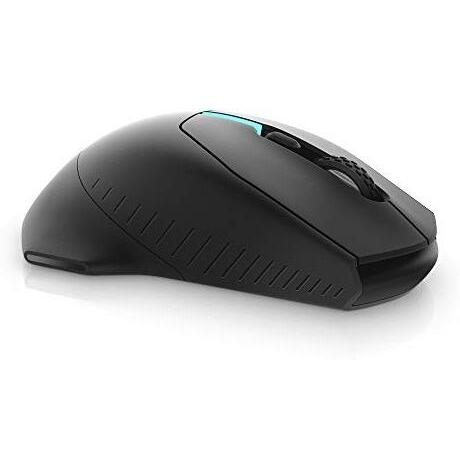
Alienware 310M Wireless Gaming Mouse – Black Edition




Sponsored This site contains affiliate links for which we may receive compensation. More information
Find other available options:

| Identifiers | |
|---|---|
| MPN | Alienware AW310M |
| Dimensions / Weight | |
| Key Features | |
|
Acceleration (max) The highest acceleration experienced by a product during operation, expressed as a numeric value with an associated unit such as g (gravity) or m/s². It indicates the peak rate of change in velocity and can be used to assess performance, stability, vibration characteristics, and suitability for specific applications.
|
40 G |
| Buttons durability (million clicks) | 50 |
| Buttons quantity | 6 |
|
Buttons type The kind of physical or touch-based button mechanism used on a device, such as a mechanical pressed button or a capacitive touch button. It indicates how the user interacts with the control surface and helps buyers understand the tactile feel and durability of the product.
|
Pressed buttons |
|
Colour The colour or combination of colours that a product is available in, expressed as common names such as "Black", "Silver" or comma‑separated lists like "Black, White". It indicates the visual appearance of the item for consumers.
|
Black |
| Customizable movement resolution | Yes |
|
Device interface List of physical or logical interfaces that a device can use to connect with other components, such as USB, PCI Express, SATA, Ethernet, Thunderbolt, DisplayPort, and similar technologies. Each value represents an interface standard supported by the device.
|
RF Wireless |
|
Movement detection technology The type of technology used to detect movement in a device or system, such as optical sensors, laser tracking, infrared LEDs, or capacitive touch. It indicates how motion is sensed—by visual changes, light scattering, or electronic signals—and helps users understand the underlying mechanism for motion detection.
|
Optical |
|
Purpose The primary purpose of a product, indicating its main intended use or target market segment (e.g., "Gaming", "Office", "Travel"). It helps customers quickly identify whether the item matches their needs and can be used for filtering or categorization across different product categories.
|
Gaming |
|
Quantity Represents the count of individual units included in a product offering, such as pieces, packs, or sets. It indicates how many discrete items are available per purchase.
|
1 |
|
Scroll type The type of input mechanism that allows a user to scroll or navigate within an application, such as a wheel, touch surface, buttons, ring, or trackball. It indicates how the device translates physical movement into scrolling actions on the screen.
|
Wheel |
|
Scrolling directions The direction(s) in which a device can scroll or navigate within an application, such as vertical, horizontal, or both.
|
Vertical |
Alienware


