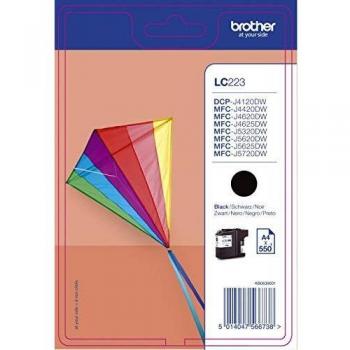
Brother MFC-J6947DW All-in-One Printer


Sponsored This site contains affiliate links for which we may receive compensation. More information
Find other available options:

| Identifiers | |
|---|---|
| Model | Brother MFCJ6947DWZU1 |
| MPN | Brother MFCJ6947DWZU1 |
| Dimensions / Weight | |
| Key Features | |
|
Colour The colour or combination of colours that a product is available in, expressed as common names such as "Black", "Silver" or comma‑separated lists like "Black, White". It indicates the visual appearance of the item for consumers.
|
White |
|
Copier Reduce/Enlarge The highest percentage by which a device can enlarge or reduce the size of a document during copying, scanning, printing, or faxing. It indicates the maximum scaling factor relative to the original document size and is expressed as a value between 0 % and 100 %.
|
25 to 400% |
|
Copier resolution The pixel dimensions that a copier or multifunction printer can output, expressed as width by height (e.g., 600x300 dpi). It indicates the maximum resolution available for printing, copying, scanning, and faxing documents.
|
600dpi x 600dpi |
|
Depth The linear measurement of an object from front to back or top to bottom, expressed in a physical unit such as millimeters, centimeters, inches, etc. It indicates how deep the item is and can be used for fitting, compatibility, or spatial planning.
|
576mm |
| Duplex unit | Yes |
|
Height The vertical dimension of a product measured from its lowest to highest point. It is expressed in a physical unit such as millimetres, centimetres or inches and applies to any item where height is relevant, including books, electronics, furniture and other objects.
|
574mm |
|
Maximum copies The highest number of copies a printer can produce in a single print job or per page, expressed as an integer. It indicates the maximum output capacity for duplicate printing tasks and helps users compare throughput across models.
|
999 |
|
Maximum paper size The largest standard or custom paper format that a device can handle, expressed as a name (e.g., "A4", "Legal") or physical dimensions in millimeters or inches. It indicates the maximum sheet size supported by printers, scanners, copiers, and similar equipment.
|
A3 |
|
Memory (Maximum) The largest amount of memory that a device can support, expressed as a data size such as megabytes (MB) or gigabytes (GB). It indicates the upper limit for active processes and multitasking performance.
|
512MB |
|
Modem The maximum rate at which a modem can transmit data, expressed in kilobits per second (Kbps) or megabits per second (Mbps). This value represents the theoretical peak throughput of the device under optimal conditions and allows users to compare the speed capabilities of different modems or network devices.
|
33.6 Kbps |
|
Mono or colour printer Indicates whether a printer can produce full‑colour output or is limited to monochrome (black‑and‑white) printing. Typical values are "Colour" for devices that support full colour and "Mono" for black‑only devices.
|
Colour |
|
Network Interface The type of network interface that a device uses to connect to other devices or networks, such as Ethernet, Wi‑Fi, or other wired or wireless standards. It indicates the physical connector and protocol supported by the product.
|
10 Base-T/100 Base-TX |
|
Network ready Indicates whether the product can connect to a network, either wired or wireless, and is capable of transmitting and receiving data over that connection.
|
Yes |
|
Pack quantity The total number of individual units contained within a single package or bundle. This value helps customers understand how many pieces they receive when purchasing the product, and it is useful for inventory, shipping, and comparison purposes.
|
1 |
|
Paper Handling Input 1 The maximum number of paper sheets that a device can accept in a single feeding cycle, expressed as an integer value without units. This attribute helps users compare how many pages a printer, copier or scanner can process before needing to be refilled.
|
250 Sheet Input Tray |
|
Paper Handling Output The maximum number of paper sheets that a device can hold or feed from its output tray(s) for printing, copying, or scanning operations. This value indicates how many pages the product can process before needing to be reloaded and helps users compare throughput and convenience across models.
|
100 Sheets |
|
Paper weight The mass of a sheet of paper expressed in a standard unit such as grams per square meter (gsm) or grams. It indicates how heavy the paper is and can be used for selecting appropriate printers, estimating shipping costs, or comparing paper quality.
|
64 to 220g/m² |
| Printer Languages | PCL6, BR-Script3 (PostScript3 Language Emulation), PDF Version 1.7, XPS Version 1.0 |
|
Printer type The general printing technology used by the device, such as inkjet, laser, thermal, or photo printer. It indicates how the printer creates images on paper and helps users compare performance, cost of consumables, and suitable applications.
|
Inkjet |
|
RF Network Standard A list of the Wi‑Fi standards that a device can connect to, such as IEEE 802.11a, IEEE 802.11b, IEEE 802.11g, Wi‑Fi 4 (802.11n), Wi‑Fi 5 (802.11ac) or Wi‑Fi 6 (802.11ax). The values are typically separated by commas and may include both the technical name and a consumer‑friendly label.
|
IEEE 802.11b/g/n |
|
RJ-45 ports Represents the total count of RJ‑45 Ethernet interfaces present on a product. Each port can accept a standard Ethernet cable for wired network connectivity.
|
Yes |
|
Scanner type The functional configuration of a scanner, indicating how documents are fed into the device. Common types include flatbed scanners with automatic document feeders (ADF), sheet‑fed scanners, single‑pass or dual‑pass ADFs, and specialized modes such as 1D/2D barcode readers. This attribute helps users understand whether the scanner can handle single pages, multiple pages automatically, or specific scanning formats.
|
Dual CIS |
|
USB Ports Represents how many USB connectors are available on the product. The value is a simple integer indicating the total count of USB ports, regardless of type or version.
|
Hi-Speed USB 2.0 x 1 |
|
Warm up time The time required for a device or component to reach its operating temperature or readiness after being powered on. It is expressed in standard time units such as seconds, minutes, or hours and indicates how long the user must wait before using the product at full performance.
|
0 Seconds |
|
Width The horizontal measurement of a product, expressed in a linear unit such as millimetres or inches. It indicates how wide the item is from one side to the other and is used for sizing, fitting, and compatibility purposes.
|
681mm |

Brother is a Japanese brand that produces a wide range of electronics, including printers, sewing machines, and scanners. The company has a strong reputation for quality and innovation, and its products are popular among consumers and businesses alike.