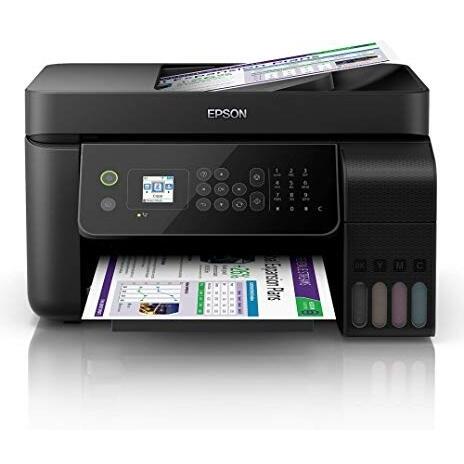
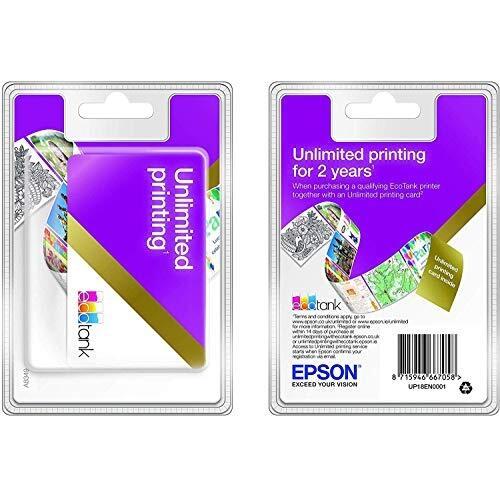
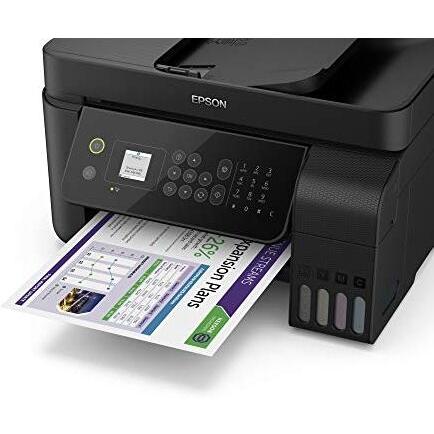
Bundle: Epson EcoTank ET-4700 (A4) Colour Inkjet Wireless All-in-One Printer (Print/Copy/Scan/Fax) + 2 Year Unlimited Printing Card






Sponsored This site contains affiliate links for which we may receive compensation. More information
Find other available options:

| Identifiers | |
|---|---|
| MPN | Epson ET-4700 |
| Dimensions / Weight | |
| Key Features | |
|
Case colour The colour or combination of colours that a product’s outer shell or enclosure is available in, expressed as common names such as "Black", "Silver" or comma‑separated lists like "Black, White". It indicates the visual appearance of the case for consumers.
|
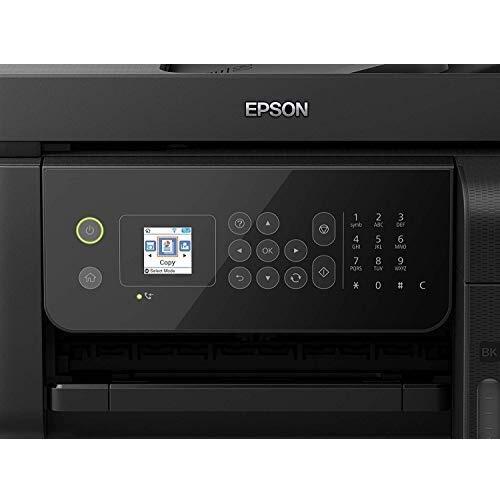
Black |
|
Display type The type of visual panel or display technology used in a product, such as LCD, LED, OLED, TFT, IPS, AMOLED, or analog. It indicates the underlying technology that determines image quality, color reproduction, power consumption and suitability for different use cases.
|
3.7 cm Colour LCD |
|
Encryption Indicates the cryptographic method or algorithm used to protect data on the device, such as AES, WEP, or other encryption ciphers. The value is a free‑text string that may include the algorithm name and bit length (e.g., "AES 256-bit"), and can be presented in any case or format by the manufacturer.
|
WEP 64 Bit, WEP 128 Bit, WPA PSK (TKIP), WPA2 PSK (AES) |
|
Fax Speed The maximum data transfer rate at which a fax machine can send or receive faxes, expressed in bits per second (e.g., kilobits per second). This value indicates how quickly the device can transmit fax pages and is useful for comparing throughput across models.
|
33.6Kbps |
|
Form factor Specifies the physical configuration or design of a product, such as ATX, Micro‑ATX, Mini‑ITX, tower, case with cover, etc. It describes how the device is built and what mounting or expansion options it supports.
|
Desktop |
|
Maximum paper size The largest standard or custom paper format that a device can handle, expressed as a name (e.g., "A4", "Legal") or physical dimensions in millimeters or inches. It indicates the maximum sheet size supported by printers, scanners, copiers, and similar equipment.
|
A4 |
|
Mono or colour printer Indicates whether a printer can produce full‑colour output or is limited to monochrome (black‑and‑white) printing. Typical values are "Colour" for devices that support full colour and "Mono" for black‑only devices.
|
Colour |
|
Network Interface The type of network interface that a device uses to connect to other devices or networks, such as Ethernet, Wi‑Fi, or other wired or wireless standards. It indicates the physical connector and protocol supported by the product.
|
Built in Ethernet |
|
Pack quantity The total number of individual units contained within a single package or bundle. This value helps customers understand how many pieces they receive when purchasing the product, and it is useful for inventory, shipping, and comparison purposes.
|
1 |
|
Paper Handling Input 1 The maximum number of paper sheets that a device can accept in a single feeding cycle, expressed as an integer value without units. This attribute helps users compare how many pages a printer, copier or scanner can process before needing to be refilled.
|
100 Sheet Input Tray |
| Power cord | Yes |
|
Printer type The general printing technology used by the device, such as inkjet, laser, thermal, or photo printer. It indicates how the printer creates images on paper and helps users compare performance, cost of consumables, and suitable applications.
|
Inkjet |
|
Protocols Supported A list of network communication protocols that a device can use or support, such as TCP/IP, HTTP, HTTPS, FTP, DHCP, DNS, and various wireless standards. Each protocol is represented by its standard name and may be separated by commas or slashes in the source data.
|
Wi-Fi Direct |
|
RJ-45 ports Represents the total count of RJ‑45 Ethernet interfaces present on a product. Each port can accept a standard Ethernet cable for wired network connectivity.
|
1 x RJ-45 |
|
Scanner features A comma‑separated list of features that describe the scanner’s built‑in address book, LDAP integration, encrypted data transfer, and blank sheet skip functionality. These options allow users to manage contacts directly from the device, secure scanned documents during transmission, and improve scanning efficiency by automatically skipping empty pages.
|
BMP, JPEG, PICT, TIFF, multi-TIFF, PDF, PNG |
| Scanner optical resolution | 1200dpi x 2400dpi |
|
Scanner type The functional configuration of a scanner, indicating how documents are fed into the device. Common types include flatbed scanners with automatic document feeders (ADF), sheet‑fed scanners, single‑pass or dual‑pass ADFs, and specialized modes such as 1D/2D barcode readers. This attribute helps users understand whether the scanner can handle single pages, multiple pages automatically, or specific scanning formats.
|
CIS (Contact Image Sensor) |
|
Voltage/Power/Frequency The alternating current voltage range that the product accepts from its power source, expressed in volts (V), together with the acceptable mains frequency range, expressed in hertz (Hz). It indicates the minimum and maximum supply voltages and frequencies compatible with the device.
|
100 to 240V AC / 50 to 60Hz |

Epson is a Japanese electronics company that produces printers, scanners, projectors, and other imaging products. The company has a wide range of products for both personal and business use, and its printers are known for their quality and reliability.


