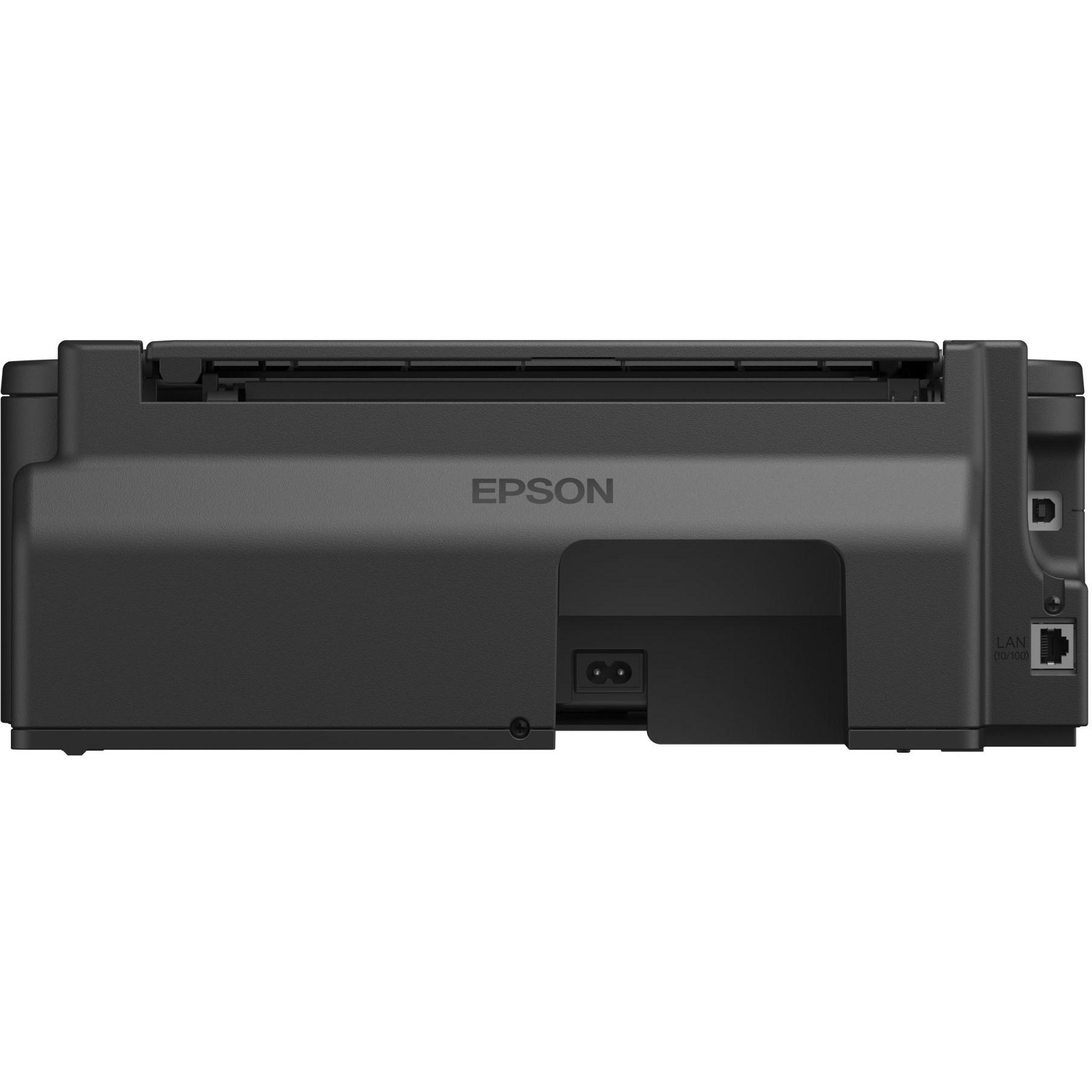
Epson WorkForce WF-2010W A4 Colour Inkjet Printer




Sponsored This site contains affiliate links for which we may receive compensation. More information

Sponsored Epson Black WorkForce WF-2010W Wireless Colour A4 Inkjet Printer
49.77 GBP
Price updated on: 09-04-2024 10:10:14
49.77 GBP
Price updated on: 09-04-2024 10:10:14 | Identifiers | |
|---|---|
| MPN | Epson C11CC40301 |
| Model | Epson C11CC40301 |
| Dimensions / Weight | |
| Key Features | |
|
AC input frequency The frequency of the alternating current supplied to a power supply or charger, expressed in hertz (Hz). It indicates the acceptable operating range for the electrical mains that powers the device, ensuring proper functionality and safety.
|
60 Hz |
|
AC input voltage The range of alternating current voltage that the product accepts from its power source, expressed in volts (V). It indicates the minimum and maximum supply voltages compatible with the device across different regions.
|
220 - 240 V |
|
Colour The colour or combination of colours that a product is available in, expressed as common names such as "Black", "Silver" or comma‑separated lists like "Black, White". It indicates the visual appearance of the item for consumers.
|
Black |
|
Colours A colour is a visual attribute that describes the hue or shade of an object or surface. It can be a single dominant colour, a combination of colours, or a range such as "Black, White". The value may be expressed in common names (e.g., Black, Silver) or descriptive terms (e.g., One Colour, Assorted).
|
Yes |
|
Connectivity technology The network and data interface technologies supported by the product, such as Wired, Wireless, USB, Bluetooth, or combinations thereof. Each value represents a distinct technology that can be used for communication or power delivery.
|
Wireless |
|
Country of Origin The country where the product was manufactured or its primary geographic source. This attribute indicates the nation responsible for the production or assembly of the item.
|
Indonesia |
| Data Link Protocol | Ethernet, Fast Ethernet, IEEE 802.11b, IEEE 802.11g, IEEE 802.11n |
|
Depth The linear measurement of an object from front to back or top to bottom, expressed in a physical unit such as millimeters, centimeters, inches, etc. It indicates how deep the item is and can be used for fitting, compatibility, or spatial planning.
|
264 mm |
|
Double sided Indicates whether the printer can automatically print on both sides of a sheet (duplex printing). A value of "Yes" means duplex printing is supported; "No" means it is not.
|
Print, No |
|
Duty Cycle The typical operating load or usage level of a device, expressed as the amount of work performed over a given period. It can be reported in various units such as pages per month, scans per day, or time durations for maintenance intervals. This attribute helps users understand how heavily the device is expected to be used in normal operation.
|
3000 pages per month |
|
Energy star Indicates whether the product has been certified by Energy Star, a recognized standard for energy efficiency in appliances and electronics.
|
Yes |
| Energy Star certified | Yes |
|
Envelope sizes A list of envelope dimensions that a printer can accept, expressed with standard codes or descriptive names followed by their measurements in millimetres (e.g., "International DL (110 x 220 mm)"). Each value represents an envelope format compatible with the device’s paper feed mechanism.
|
US No 10 (104.7 x 241.3 mm), International DL (110 x 220 mm), International C6 (114 x 162 mm) |
|
Envelopes sizes A list of envelope sizes that a product can accept, expressed with standard codes or names (e.g., "DL", "C5", "10"), optionally combined in comma‑separated groups to indicate compatible envelopes.
|
10,C6,DL |
| Ethernet | Yes |
|
Ethernet LAN Indicates whether the product includes an Ethernet LAN interface for wired network connectivity, allowing data transmission over RJ‑45 or compatible cables.
|
Yes |
|
Ethernet Technology Specifies the type of wired Ethernet interface supported by a device, such as Gigabit Ethernet, 10 GbE, Fast Ethernet, or other variants. The value is a free‑text label that identifies the standard or generation of the Ethernet port(s) available on the product.
|
Ethernet |
|
Form Factor Specifies the physical configuration or design of a product, such as ATX, Micro‑ATX, Mini‑ITX, tower, case with cover, etc. It describes how the device is built and what mounting or expansion options it supports.
|
Desktop |
| Frequency required | 50/60 Hz |
|
Green compliance certificate A list of environmental or safety certifications that the product has obtained from recognized authorities. These may include standards such as RoHS, ENERGY STAR, WEEE, TCO Certified, and others. Each entry represents a distinct certification program or label.
|
Energy Star |
|
Green Compliant Indicates whether the product meets environmental standards that reduce or eliminate hazardous substances, promote energy efficiency, and support sustainable manufacturing practices.
|
Yes |
|
Height The vertical dimension of a product measured from its lowest to highest point. It is expressed in a physical unit such as millimetres, centimetres or inches and applies to any item where height is relevant, including books, electronics, furniture and other objects.
|
148 mm |
|
Image enhancement technology The technology used by a device to improve image quality, such as advanced droplet control or resolution‑enhancement algorithms. It indicates the specific method that enhances sharpness, color accuracy, or detail in captured or displayed images.
|
EPSON Variable-sized Droplet Technology |
|
Industry Standard Product Classification The general category or style of the product, such as laptop, printer cartridge, or cooling fan. It helps buyers quickly identify the nature of the item and compare similar products.
|
40140 |
|
Ink Cartridge Configuration The total count of individual ink cartridge units included with the printer or supplied in the product package. It represents how many separate cartridges—such as cyan, magenta, yellow, black, and any additional color or pigment cartridges—are available for use or replacement.
|
4 cartridges (1 each: cyan, magenta, yellow, black) |
|
Ink Palette Supported Colours A comma‑separated list of the ink colours that a printer can use from its ink palette. The values represent distinct colour names such as cyan, magenta, yellow, black, pigment black, photo black, etc., and may include variations like light cyan or chroma optimiser. This attribute helps users understand which inks are available for printing on the device.
|
4-ink - cyan, magenta, yellow, black |
| Ink type | Epson DURABrite Ultra inks |
|
Input trays supported The total count of input trays that a printer or copier provides for automatically feeding paper. It indicates how many separate tray compartments the device has, which helps users understand the maximum number of pages that can be loaded at once.
|
1 |
|
Input voltage The range of electrical voltage that a device can safely accept from its power source, expressed in volts (V). It specifies the minimum and maximum supply voltages compatible with the product, covering both AC and DC inputs where applicable.
|
220 V AC |
|
Interface The physical or logical interface used by a device to connect with other components, such as USB, PCI Express, SATA, Ethernet, Thunderbolt, DisplayPort, or similar standards. It indicates the technology that enables data transfer and power delivery between the product and its peripherals.
|
USB, LAN, Wi-Fi(n) |
| ISO A-series sizes | A4,A5,A6 |
|
ISO B-series The largest standard ISO B-series paper format that a device can handle, expressed as an ISO code (e.g., "B0", "B1", …, "B5"). This attribute indicates the maximum sheet size supported by printers, scanners, copiers, and similar equipment.
|
B5 |
|
Mac operating systems supported A list of macOS operating system versions that the product supports or is compatible with, such as "macOS 10.15 Catalina", "macOS 11 Big Sur" or newer releases. Each entry represents a distinct OS version that can run on or be supported by the device.
|
Mac OS X 10.6 Snow Leopard,Mac OS X 10.7 Lion,Mac OS X 10.8 Mountain Lion |
|
Market positioning A classification that indicates the target audience or use case for a product, such as Business, Gaming, Home & Office, Education, etc. It helps customers quickly identify which products are best suited to their needs.
|
Home & office |
|
Max media size The largest paper or media dimensions that a device can handle, expressed either as standard format names (e.g., "A4", "Legal") or as physical measurements in millimeters or inches. This attribute indicates the maximum sheet size supported by printers, scanners, copiers, and similar equipment.
|
Legal (216 x 356 mm), A4 (210 x 297 mm) |
|
Max Resolution B/W The highest pixel density that a printer can output or support, expressed as dots per inch (dpi). It indicates the maximum detail level achievable in printed images and documents when printing in black‑and‑white.
|
5760 x 1440 dpi |
|
Maximum color print speed The maximum time required to produce a single page in color, expressed in seconds per page. This value indicates the slowest printing speed for color documents and allows users to compare throughput across printers.
|
18 |
|
Maximum input media capacity The highest number of paper or other media sheets that a device can accept in a single input operation, expressed as a numeric value with an optional unit such as "sheets" (e.g., "100 sheets"). This attribute indicates the maximum feed capacity for printers, copiers, fax machines and similar equipment.
|
100 sheets |
|
Maximum Print Size The largest paper or media size that a printer can handle, expressed either as standard format names (e.g., "A4", "Legal") or as physical dimensions in millimeters or inches. It indicates the maximum sheet dimensions supported by the device for printing.
|
210x297 |
|
Media Feeders The way a device feeds media, indicating the number of sheets processed automatically or manually and the type of media (e.g., roll, sheet). It describes how many pages can be fed in one operation and whether the feed is automatic or manual, helping users understand the printer’s feeding capability.
|
1 x automatic - 100 sheets - Legal (216 x 356 mm) |
|
Media Size The size of the paper or media that a device can handle, such as a scanner or printer. It may be expressed as a standard format name (e.g., "A4"), a custom dimension in millimeters or inches, or a list of compatible sizes.
|
Custom Size |
|
Media Type The format or medium of a product, such as DVD, Blu‑ray, USB flash drive, paper, or other physical or digital media. It indicates the kind of material that can be used with or contained in the item.
|
Envelopes, plain paper, photo paper |
|
Mono or colour printer Indicates whether a printer can produce full‑colour output or is limited to monochrome (black‑and‑white) printing. Typical values are "Colour" for devices that support full colour and "Mono" for black‑only devices.
|
Colour |
|
Network Interface The type of network interface that a device uses to connect to other devices or networks, such as Ethernet, Wi‑Fi, or other wired or wireless standards. It indicates the physical connector and protocol supported by the product.
|
10 BaseT/100 Base-TX Ethernet |
|
Networking A list of networking protocols and standards that a device can support or comply with, such as Ethernet (IEEE 802.3), Wi‑Fi variants (IEEE 802.11a/b/g/n/ac/ax), Bluetooth versions, RS‑232, USB, and other relevant communication interfaces. The values are typically separated by commas and may include both technical identifiers and consumer‑friendly labels.
|
Print server |
| Non-ISO print media sizes | Letter |
|
Nozzle configuration Specifies the number and arrangement of inkjet printer nozzles, including counts for black and color cartridges as well as any grouping or per‑colour details. The value is a single textual description that lists each nozzle type and its quantity, helping users understand the print head capacity and colour distribution.
|
180 nozzles (black), 3 x 59 nozzles (cyan, magenta, yellow) |
|
Operating Power Consumption The electrical power required by a device while it is in operation, expressed in watts (W). This value represents the typical energy draw of the product during normal use and can be used to estimate operating costs or compare efficiency across similar devices.
|
12 W |
|
Paper tray media types A list of the paper or media types that a device’s input trays can accept, such as envelopes, labels, plain paper, recycled paper, and transparencies. Each value represents a material compatible with the printer or copier.
|
Photo paper |
|
Platform Supported A list of operating system names and versions that the product is compatible with, such as Windows, macOS, Linux distributions, or other OS platforms. Each value represents a distinct OS that can run on or be supported by the device.
|
PC |
|
Power Device The main type of electrical supply that powers the device, such as mains electricity, batteries, USB power, or a combination of these options.
|
Power supply - internal |
|
Power Source The type of electrical supply that powers the device, such as mains electricity, batteries, USB power, or a combination of these options.
|
AC Supply |
| Print speed black normal quality A4/US Letter | 34 ppm |
|
Printer connectivity Indicates the types of network or data interfaces available on a printer, such as wired (USB), wireless (Wi‑Fi) and network connections. The value is a comma‑separated list of interface names.
|
Network, USB |
|
Printer function A list of the core functions that a printer can perform, such as printing, copying, scanning and faxing. Each entry represents an individual capability available in the device.
|
|
|
Printer technology The printing process or technology employed by the device, such as inkjet, laser, thermal, LED, or other specialized methods. This attribute helps users compare performance, cost of consumables, and suitability for different applications.
|
Inkjet |
|
Printer type The general printing technology used by the device, such as inkjet, laser, thermal, or photo printer. It indicates how the printer creates images on paper and helps users compare performance, cost of consumables, and suitable applications.
|
Workgroup printer - ink-jet - colour |
|
Printing colours A comma‑separated list of colour names that a product can produce or display, such as black, cyan, magenta, yellow and any additional variations (e.g., photo‑black, matte black). This attribute applies to printers, ink cartridges, toner cartridges, and other printing consumables.
|
Black, Cyan, Magenta, Yellow |
|
RF Network Standard A list of the Wi‑Fi standards that a device can connect to, such as IEEE 802.11a, IEEE 802.11b, IEEE 802.11g, Wi‑Fi 4 (802.11n), Wi‑Fi 5 (802.11ac) or Wi‑Fi 6 (802.11ax). The values are typically separated by commas and may include both the technical name and a consumer‑friendly label.
|
802.11b/g/n |
|
Security Protocols A list of network security protocols that a device supports, such as WEP, WPA‑PSK, WPA2‑PSK, WPA‑Enterprise, WPA3, IPsec, SSL/TLS, 802.1x, and other authentication or encryption methods. The value is typically a comma‑separated string of protocol names.
|
WEP, WPA-PSK |
|
Software Included A list of software programs and utilities that come pre-installed or bundled with the product, such as operating systems, drivers, antivirus suites, or other essential applications.
|
EpsonNet Print, EpsonNet Config |
|
Sound Emission Operating The sound intensity produced by a printer while it is in operation, expressed in decibels (dB). This value indicates how loud the device is during normal use and helps users assess suitability for quiet environments such as offices or home theaters.
|
36 dBA |
|
Standard interfaces A list of the physical or logical interfaces that a device can use to connect with other devices, such as USB, Ethernet, Bluetooth, Wi‑Fi, RS‑232, RJ‑45, Parallel, and similar standards.
|
USB 2.0 |
|
USB The version and configuration of the USB interface supported by the product, such as USB 2.0, USB 3.1, or Type‑C connectors with their respective speeds and connector counts.
|
Yes |
|
USB 2.0 ports quantity Represents the count of external USB 2.0 (high‑speed) connectors available on a device. The value is an integer indicating how many USB 2.0 ports can be used for data transfer or power delivery from the outside of the product, regardless of internal placement or version.
|
2 |
| Voltage required | AC 230V |
|
Voltage/Power/Frequency The alternating current voltage range that the product accepts from its power source, expressed in volts (V), together with the acceptable mains frequency range, expressed in hertz (Hz). It indicates the minimum and maximum supply voltages and frequencies compatible with the device.
|
220 to 240VAC / 50 to 60Hz |
|
Weight The mass of the product expressed in a standard unit such as grams or kilograms. It represents how heavy the item is and can be used for shipping calculations, handling instructions, or consumer information.
|
3.2 kg |
|
Wi-Fi Indicates whether the product has built‑in Wi‑Fi capability, allowing it to connect to wireless networks without requiring external adapters or dongles.
|
Yes |
|
Wi-Fi standards A list of the wireless networking protocols and frequency bands that a device can connect to, such as 802.11a, 802.11b, 802.11g, Wi‑Fi 4 (802.11n), Wi‑Fi 5 (802.11ac) or Wi‑Fi 6 (802.11ax). The values are typically separated by commas and may include both the technical name and a consumer‑friendly label.
|
802.11b,802.11g,Wi-Fi 4 (802.11n) |
|
Width The horizontal measurement of a product, expressed in a linear unit such as millimetres or inches. It indicates how wide the item is from one side to the other and is used for sizing, fitting, and compatibility purposes.
|
392 mm |

Epson is a Japanese electronics company that produces printers, scanners, projectors, and other imaging products. The company has a wide range of products for both personal and business use, and its printers are known for their quality and reliability.


