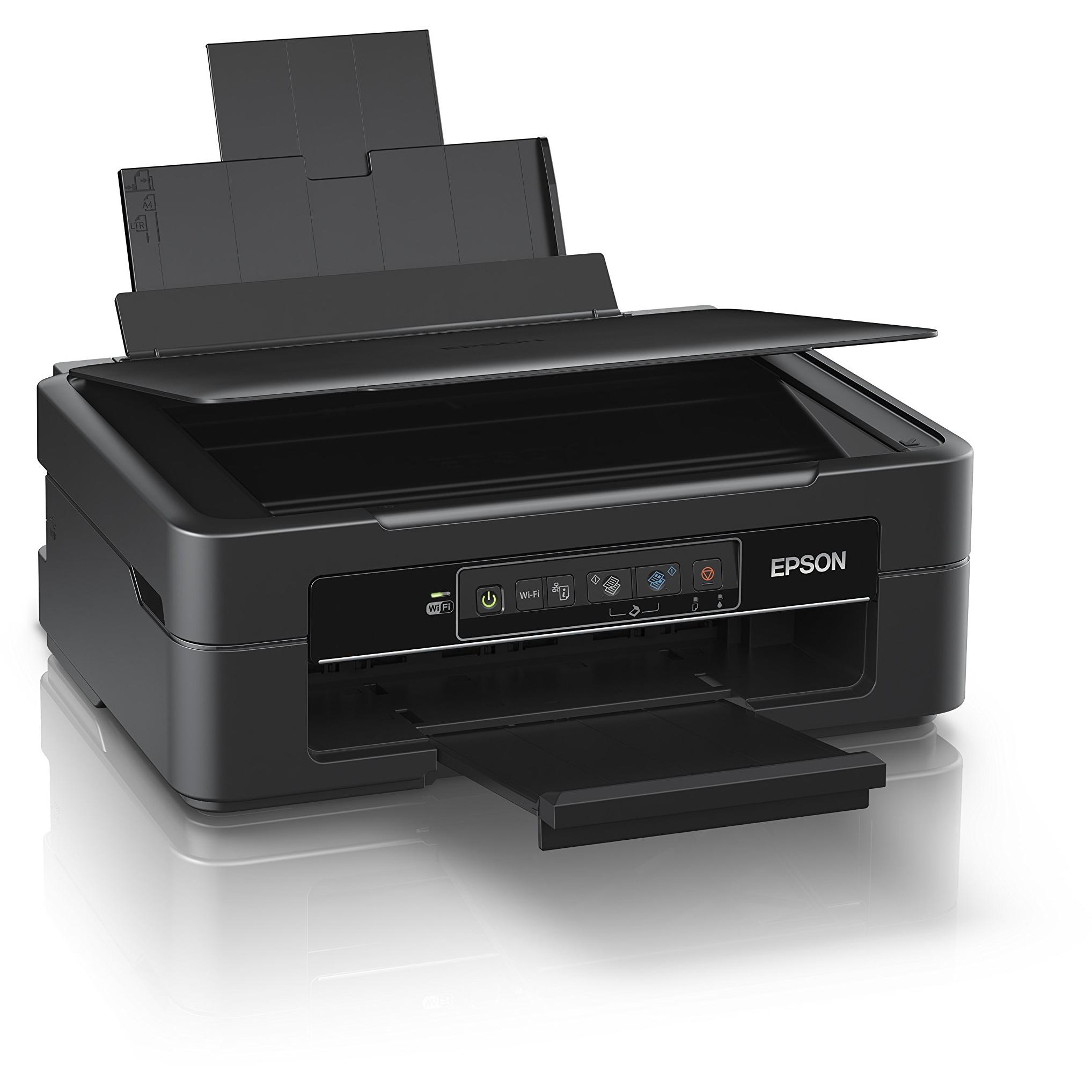
Epson XP-245 Wireless Inkjet Printer




Sponsored This site contains affiliate links for which we may receive compensation. More information
Find other available options:

| Identifiers | |
|---|---|
| MPN | Epson C11CF32401 |
| Model | Epson C11CF32401 |
| Dimensions / Weight | |
| Key Features | |
|
B/W Printing Max Resolution The highest pixel resolution that a printer can produce, expressed as width by height (e.g., 1200x1200 dpi). It indicates the maximum detail level achievable in printed images and documents.
|
5760x1440dpi |
| B/W printing speed | 27ppm |
|
Body colour The visual hue or shade that characterises the exterior surface of a product, such as a mobile phone, printer, appliance or other consumer item. It is expressed using common colour names (e.g., "Black", "White", "Gold") and represents the dominant appearance that customers will see when viewing the product.
|
Black |
|
Borderless printing Indicates whether a printer can print directly to the edge of the paper without margins, allowing full‑bleed or borderless output for photos and other media. A value of "Yes" means the device supports this feature; "No" means it does not.
|
No |
|
Build in LCD screen Indicates whether the product includes a built‑in LCD display. The value is "Yes" if an LCD panel is integrated into the device, and "No" otherwise.
|
Yes |
|
Built-in memory card reader Indicates whether the product includes a built‑in reader for removable memory cards such as SD, microSD, or other compatible formats. A value of "Yes" means the device can read and write to such cards, while "No" indicates no built‑in memory card reader.
|
No |
|
Capacity / duty cycle Indicates whether the product is designed to operate under a specified duty cycle, meaning it can handle continuous or intermittent usage for a defined period without overheating or failure.
|
No |
|
Colour printing speed The maximum rate at which a printer can produce colour pages, expressed as a linear velocity (e.g., millimetres per second) or a page‑per‑minute rate. This metric indicates how quickly the device can complete colour printing tasks and is useful for comparing throughput across models.
|
15ppm |
|
Direct printing from USB Indicates whether a device can print directly from a USB flash drive without the need for additional software or drivers. A value of "Yes" means the device supports this feature; "No" indicates it does not.
|
Yes |
|
Document size The standard paper format that a product can handle, such as "A4", "Legal", or "A3/Ledger". It indicates the size of documents the device is designed to process and helps customers choose compatible equipment.
|
A4/Legal |
|
Double sided Indicates whether the printer can automatically print on both sides of a sheet (duplex printing). A value of "Yes" means duplex printing is supported; "No" means it is not.
|
No, Print |
|
Google cloud print ready Indicates whether the product supports Google Cloud Print, allowing print jobs to be sent via the Google Cloud Print service from compatible devices and applications.
|
No |
|
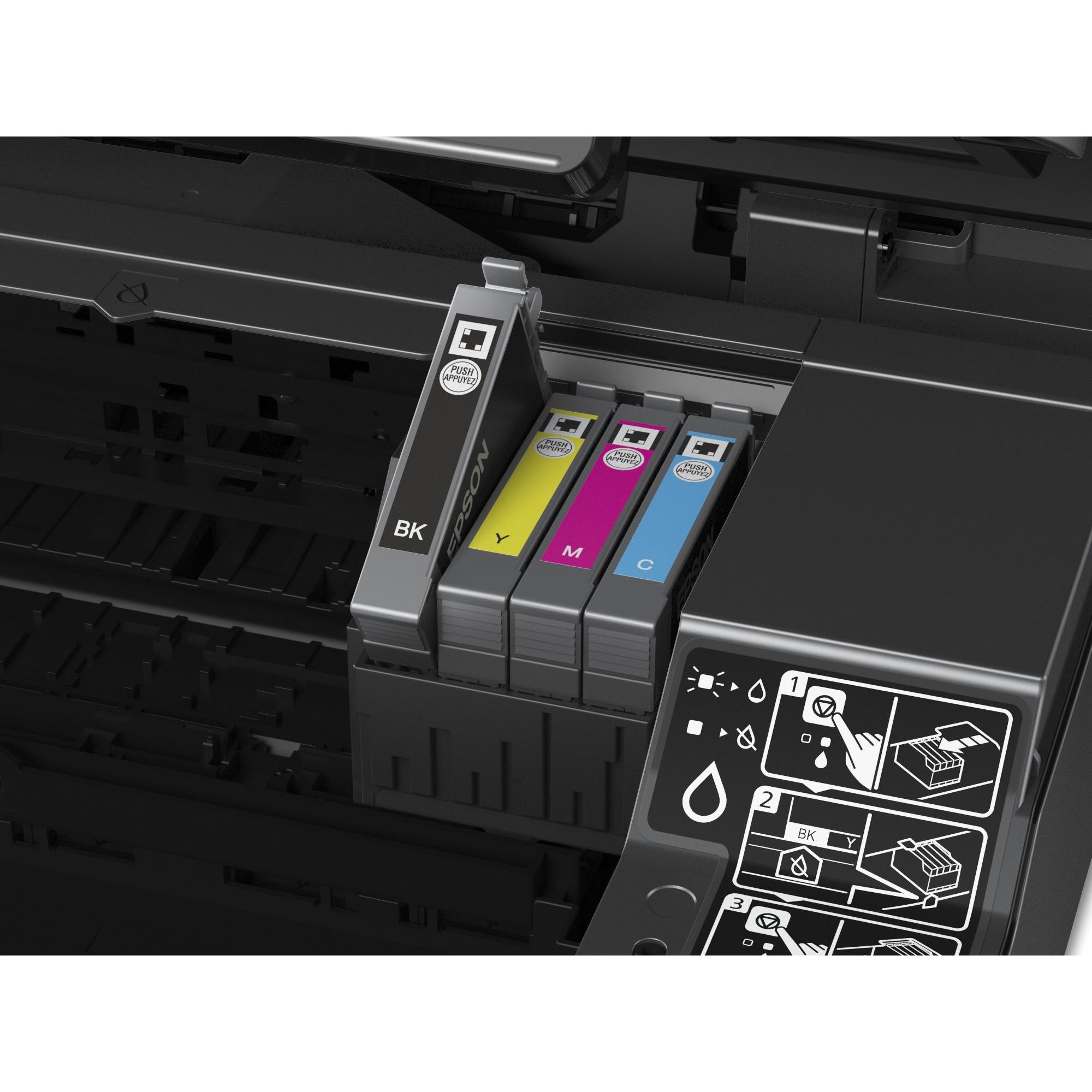
Ink colours A comma‑separated list of colour names that an ink product can produce, such as black, cyan, magenta, yellow and any additional variations (e.g., photo‑black, matte black). This attribute applies to all ink cartridges, toner cartridges, printer ribbons, and other printing consumables.
|
NA |
|
Machine type The general category or style of the product, such as printer, copier, scanner, dishwasher, label maker, or any other machine used in a commercial or household setting. It helps buyers quickly identify the primary function and compare similar items.
|
Printer / copier / scanner |
| Maximum paper tray capacity | 50 sheets |
|
Print Colour The colour(s) that a printer can produce. It may be a single dominant colour or a combination of colours, typically expressed as common names such as "Black", "Cyan", "Magenta" or a comma‑separated list like "Black, Cyan, Magenta, Yellow".
|
Colour |
|
Print Resolution The pixel density of a printer’s output, expressed as dots per inch (dpi). It indicates how many individual printing points are used to render an image or text, affecting the sharpness and detail of printed documents.
|
5760x1400 |
|
Printer connectivity Indicates the types of network or data interfaces available on a printer, such as wired (USB), wireless (Wi‑Fi) and network connections. The value is a comma‑separated list of interface names.
|
USB, Wireless |
|
Printer function A list of the core functions that a printer can perform, such as printing, copying, scanning and faxing. Each entry represents an individual capability available in the device.
|
Print, COPY, Scan |
|
Printer technology The printing process or technology employed by the device, such as inkjet, laser, thermal, LED, or other specialized methods. This attribute helps users compare performance, cost of consumables, and suitability for different applications.
|
Inkjet |
|
Usage The intended or most suitable use cases for a product, such as the type of environment (indoor, outdoor), activity (gaming, office work, music listening) or general application category. It helps customers quickly determine whether the item fits their needs.
|
Home Office |
|
Windows compatibility A list of Microsoft Windows operating system versions that the product can run or support, including any relevant architecture or edition information. Each entry represents a distinct OS that is compatible with the hardware or software.
|
Apple Mac OS X 10.6.8 or later & Windows XP, 7, 8, 8.1, 10 |
|
Wired or wireless Indicates whether the product uses a wired connection, a wireless connection, or both for data transfer and communication. The value is typically one of: "Wired", "Wireless", or "None" when no connectivity is available.
|
Wired |

Epson is a Japanese electronics company that produces printers, scanners, projectors, and other imaging products. The company has a wide range of products for both personal and business use, and its printers are known for their quality and reliability.


