Iiyama ProLite XUB2492HSU-B1 - LED Computer Monitor - 24 Inches (23.8 Inches viewable) - 1920 x 1080 Full HD (1080p) - IPS - 250 cd/m² - 1000:1 - 4 ms - HDMI, VGA, DisplayPort - speakers - black





Sponsored This site contains affiliate links for which we may receive compensation. More information
 Back to the Office
Sponsored iiyama ProLite XUB2492HSU-B1 computer monitor 60.5 cm (23.8") 1920 x 1080 pixels Full HD LCD Black
146.99 GBP
Price updated on: 10-07-2026 12:20:23
146.99 GBP
Price updated on: 10-07-2026 12:20:23  clove.co.uk
Sponsored iiyama ProLite XUB2492HSU-B1 LED display 60.5 cm (23.8") 1920 x 1080 pixels Full HD LCD Black Monitor
158.46 GBP
Price updated on: 17-11-2024 01:51:52
158.46 GBP
Price updated on: 17-11-2024 01:51:52 | Identifiers | |
|---|---|
| Model | iiyama XUB2492HSU-B1 |
| MPN | iiyama XUB2492HSU-B1 |
| Dimensions / Weight | |
| Key Features | |
|
120Hz Refresh Rate The number of times per second that a display updates its image, expressed in hertz (Hz). It indicates the smoothness and responsiveness of motion on the screen; higher rates generally provide a more fluid visual experience.
|
No |
|
144hz refresh rate The highest number of times per second that a display can update its image, expressed in hertz (Hz). It indicates the maximum visual smoothness and responsiveness achievable by the monitor under optimal conditions.
|
No |
|
165Hz Refresh Rate Indicates whether a display is capable of operating at a 165 Hz refresh rate, which can provide smoother motion for gaming and high‑motion content. The value is "Yes" if the monitor supports this frequency, otherwise "No".
|
No |
|
180Hz Refresh Rate The highest number of times per second that a monitor can update its image, expressed in hertz (Hz). It indicates the maximum smoothness and responsiveness achievable on the screen; higher values reduce motion blur and improve gaming or video playback quality.
|
No |
|
200hz refresh rate Indicates whether a display is capable of operating at a maximum refresh rate of 200 Hz. A value of "Yes" means the monitor can deliver 200 Hz, while "No" indicates it does not support that frequency. This attribute helps users identify high‑performance displays suitable for fast gaming or motion‑sensitive applications.
|
No |
|
240Hz Refresh Rate Indicates whether a display device can operate at a 240 Hz refresh rate, which provides very smooth motion for gaming and high‑speed video content. The value is "Yes" if the monitor supports this frequency, otherwise "No".
|
No |
|
3D Indica si el producto es compatible con la visualización de contenidos en tres dimensiones, ya sea mediante tecnología de pantalla 3D, lentes especiales o procesamiento de imagen.
|
No |
|
3D ready Indicates whether a device is capable of displaying or supporting three‑dimensional content, such as 3D video playback, 3D graphics rendering, or compatibility with 3D display technologies. A value of "Yes" means the device can handle 3D formats and provide a stereoscopic viewing experience; "No" indicates it does not support 3D functionality.
|
No |
|
3D Support Indicates whether the product can display or render three‑dimensional (3‑D) images, videos or games. A value of "Yes" means the device has native 3‑D capability; a value of "No" means it does not support 3‑D playback.
|
No |
|
75hz refresh rate The number of times per second that a monitor updates its image, expressed in hertz (Hz). It indicates the smoothness and responsiveness of motion on the screen; higher rates generally provide a more fluid visual experience.
|
No |
|
AC adapter included Indicates whether the product comes with an AC power adapter included in the package. A value of "Yes" means a charger is supplied, while "No" indicates that no charger is provided and the user must obtain one separately.
|
Yes |
|
AC input frequency The frequency of the alternating current supplied to a power supply or charger, expressed in hertz (Hz). It indicates the acceptable operating range for the electrical mains that powers the device, ensuring proper functionality and safety.
|
50 - 60 Hz |
|
AC input voltage The alternating current voltage range that the product accepts from its power source, expressed in volts (V). It indicates the minimum and maximum supply voltages compatible with the device.
|
100 - 240 V |
|
Adaptive Frame-rate Technology The adaptive synchronization technology used by a display to match its refresh rate with the output of a graphics source, reducing screen tearing and stuttering during variable‑frame‑rate content.
|
N/A |
|
Annual energy consumption The total amount of electrical energy a product consumes in one year, expressed in kilowatt‑hours (kWh). This figure represents the expected yearly operating cost and allows consumers to compare the long‑term efficiency of appliances or electronics.
|
26 kWh |
|
Anti-Theft Features Indicates whether a product includes an anti-theft feature, such as a Kensington lock or similar security mechanism. The value is typically a short text describing the specific type of protection available.
|
Kensington-lock Ready |
|
Aspect ratio The proportion between the width and height of a display, image or video, expressed as two numbers separated by a colon (e.g., 16:9). It indicates whether content is designed for widescreen, square, or other aspect ratios.
|
16:9 |
|
Audio input Indicates whether the product includes a dedicated audio input port (e.g., 3.5 mm jack, RCA, optical). A value of "Yes" means an audio input is present; "No" means it is absent.
|
Yes |
|
Backlight The illumination source used behind a display panel, such as LED, WLED, CCFL or LCD. It determines the brightness, energy efficiency and color accuracy of the screen.
|
LED |
|
Backlight technology The type of backlighting used in a display panel, such as LED, WLED, CCFL or LCD. It indicates the illumination source that provides uniform light behind the screen for image rendering.
|
LED backlight |
|
BNC Connection Indicates whether the product includes a BNC (Bayonet Neill‑Concelman) connector for video or RF signals. A value of "Yes" means the device has a BNC port; "No" indicates it does not.
|
No |
|
Brightness The amount of light emitted by a display or projector, expressed in lumens (cd/m² for luminance). It indicates how bright the screen will appear under typical viewing conditions.
|
250 Lumens |
|
Built-in devices A list of the built‑in components or devices that are permanently integrated into a product, such as cameras, microphones, speakers, displays, storage units, or other hardware modules. Each entry represents a distinct component type that is included without requiring external accessories.
|
USB 2.0 hub |
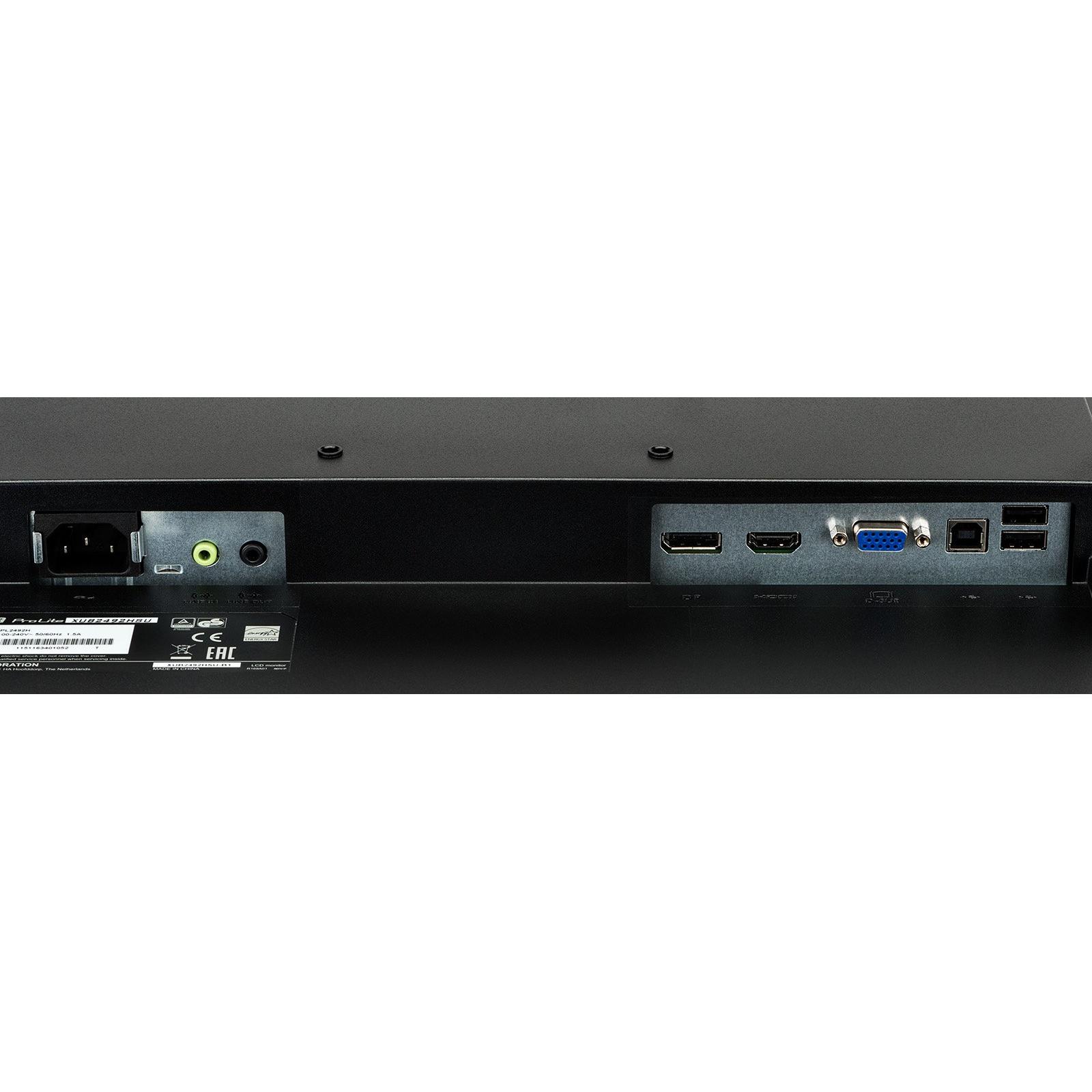
| Built-in USB Hub | Yes |
|
Cable lock slot Indicates whether the product includes a slot for inserting a cable lock, such as a Kensington or similar security device.
|
Yes |
|
Cable lock slot type The specific type of cable lock interface that a device provides for securing cables, such as Kensington, Noble, IBM or other standard locking mechanisms.
|
Kensington |
|
Cables included A list of the cable types that are supplied with the product, such as USB, HDMI, VGA, DisplayPort, LAN (RJ‑45), SATA, audio or other relevant connectors.
|
Audio (3.5mm),DisplayPort,HDMI,USB |
|
Case colour The colour or combination of colours that a product’s outer shell or enclosure is available in, expressed as common names such as "Black", "Silver" or comma‑separated lists like "Black, White". It indicates the visual appearance of the case for consumers.
|
Black |
|
Certification A list of official certifications or compliance marks that the product has received from regulatory bodies, safety organizations, or industry standards groups. Each entry represents a distinct certification such as CE, FCC, RoHS, UL, or WEEE, and may include additional details like version numbers or specific test reports.
|
CE, TÜV-GS, VCCI-B, PSE, CU |
|
Certifications A list of formal recognitions, compliance marks, or standards that a product meets. Each entry may be a single certification (e.g., "RoHS") or a group of related certifications separated by commas (e.g., "CE, FCC, RoHS"). The attribute captures all applicable regulatory, environmental, safety, and quality approvals for the item.
|
CE, TUV-GS, VCCI-B, PSE, CU |
|
Color Bit Depth The number of bits used to represent each pixel’s color on a display, expressed as an integer followed by the total number of colors it can render (e.g., "8‑Bit (16.7M Colours)"). This metric indicates the depth of color reproduction and determines how smoothly gradients and subtle hues are displayed.
|
8-Bit (16.7M Colours) |
|
Colour support The number of distinct colours that a display or image can represent, expressed as an integer value such as "16.7 million colours". This metric indicates the richness and fidelity of colour reproduction for visual media.
|
16.7 million colours |
| Compliant Standards | TUV GS, DDC-2B, VESA DPMS, PSE Mark, VCCI Class B, CU |
|
Contrast ratio The contrast ratio is the proportion between the brightest and darkest luminance a display can produce, expressed as a simple ratio such as 1000:1. It indicates how well a screen can differentiate light from dark areas, affecting image clarity and color depth.
|
1000:1 |
|
Curved Display Indicates whether the product’s screen is curved or flat. A value of "Yes" means the display has a curved panel, while "No" indicates a flat panel.
|
No |
|
Depth The linear measurement of an object from front to back or top to bottom, expressed in a physical unit such as millimeters, centimeters, inches, etc. It indicates how deep the item is and can be used for fitting, compatibility, or spatial planning.
|
52.5 mm |
|
Diagonal size The diagonal measurement of a display screen expressed in inches or centimeters. It indicates the overall visual area available for content and is commonly used to compare monitors, televisions, laptops, tablets, and other electronic devices.
|
24" |
| Display diagonal | 60.5 cm |
|
Display Diagonal The measurement of a display’s diagonal, expressed in inches or centimeters. It represents the overall visual area available for content and is commonly used to compare monitors, televisions, laptops, tablets, and other electronic devices.
|
60.5 cm (23.8") |
|
Display model in showroom The specific model name or number of a display that is presented in the showroom for customers to view and compare. It identifies the exact product variant, allowing shoppers to recognize features such as size, resolution, panel type, and brand.
|
No |
|
Display number of colours The total count of distinct colours that a product’s display can reproduce. This value indicates the colour depth or gamut capability of the screen, helping users compare visual fidelity across devices.
|
16.78 million colors |
|
Display position adjustments A list of the possible mechanical adjustments that can be made to a display’s position, such as tilt, height adjustment, swivel, and pivot (rotation). It indicates which movements are available on the product so users know how they can orient or level the screen for optimal viewing.
|
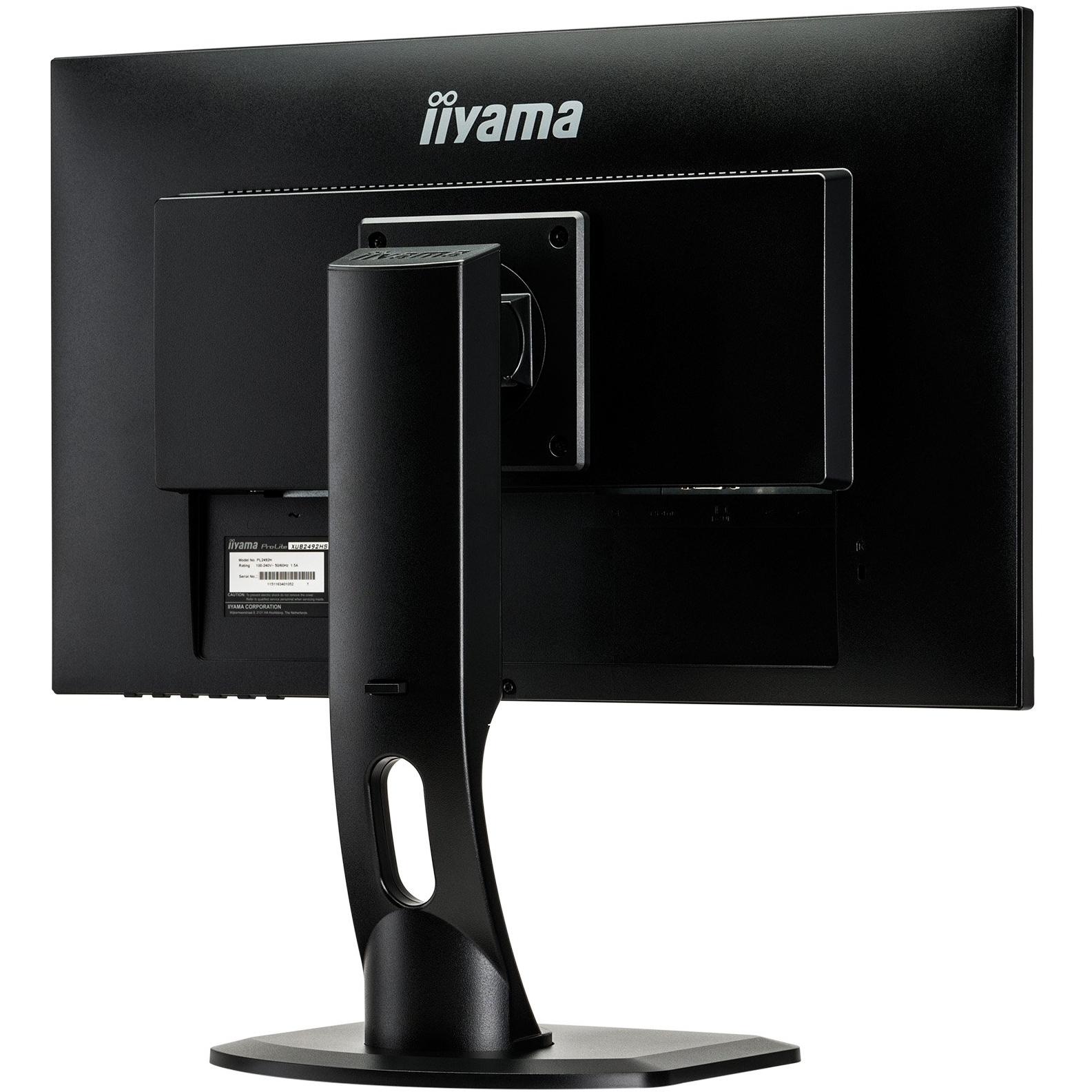
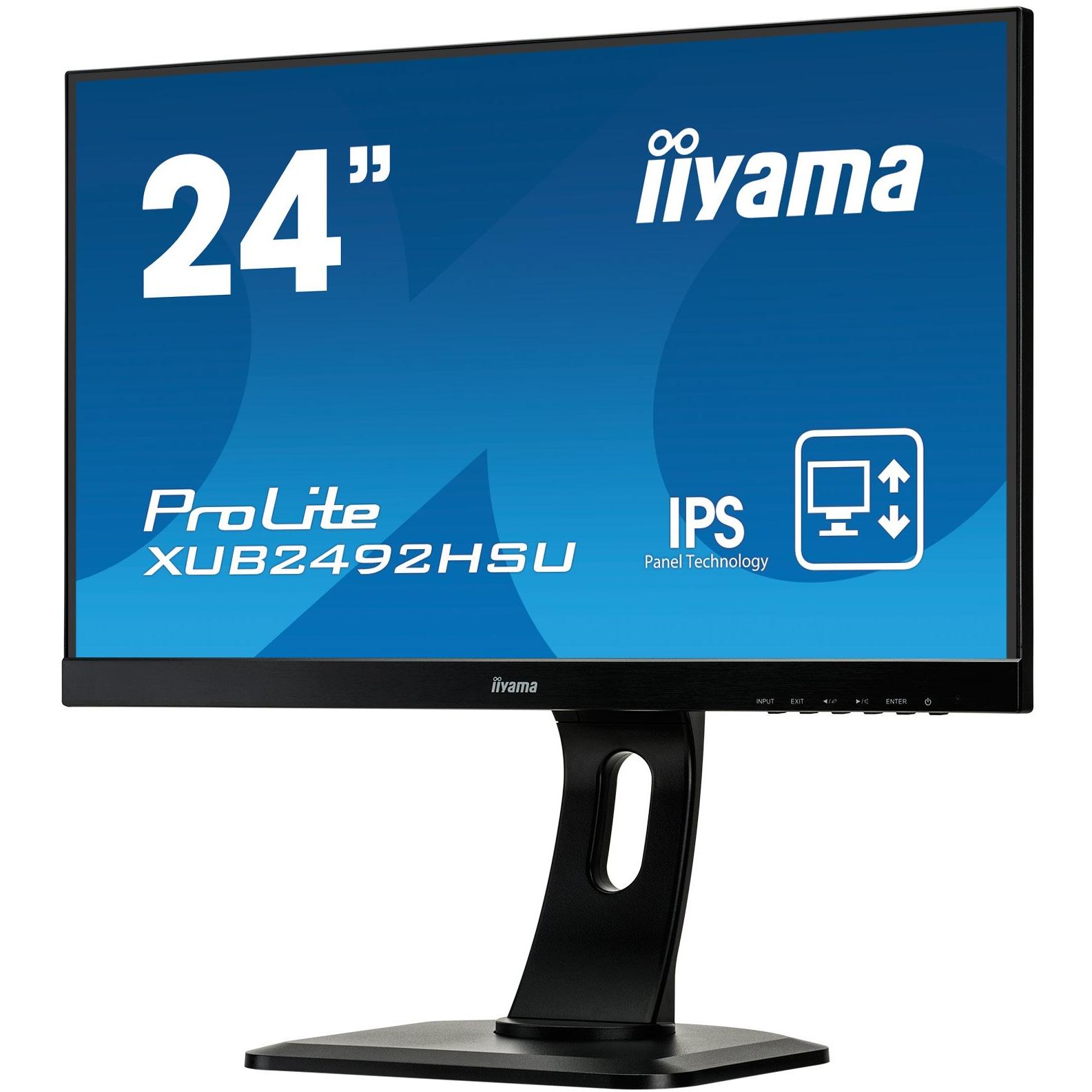
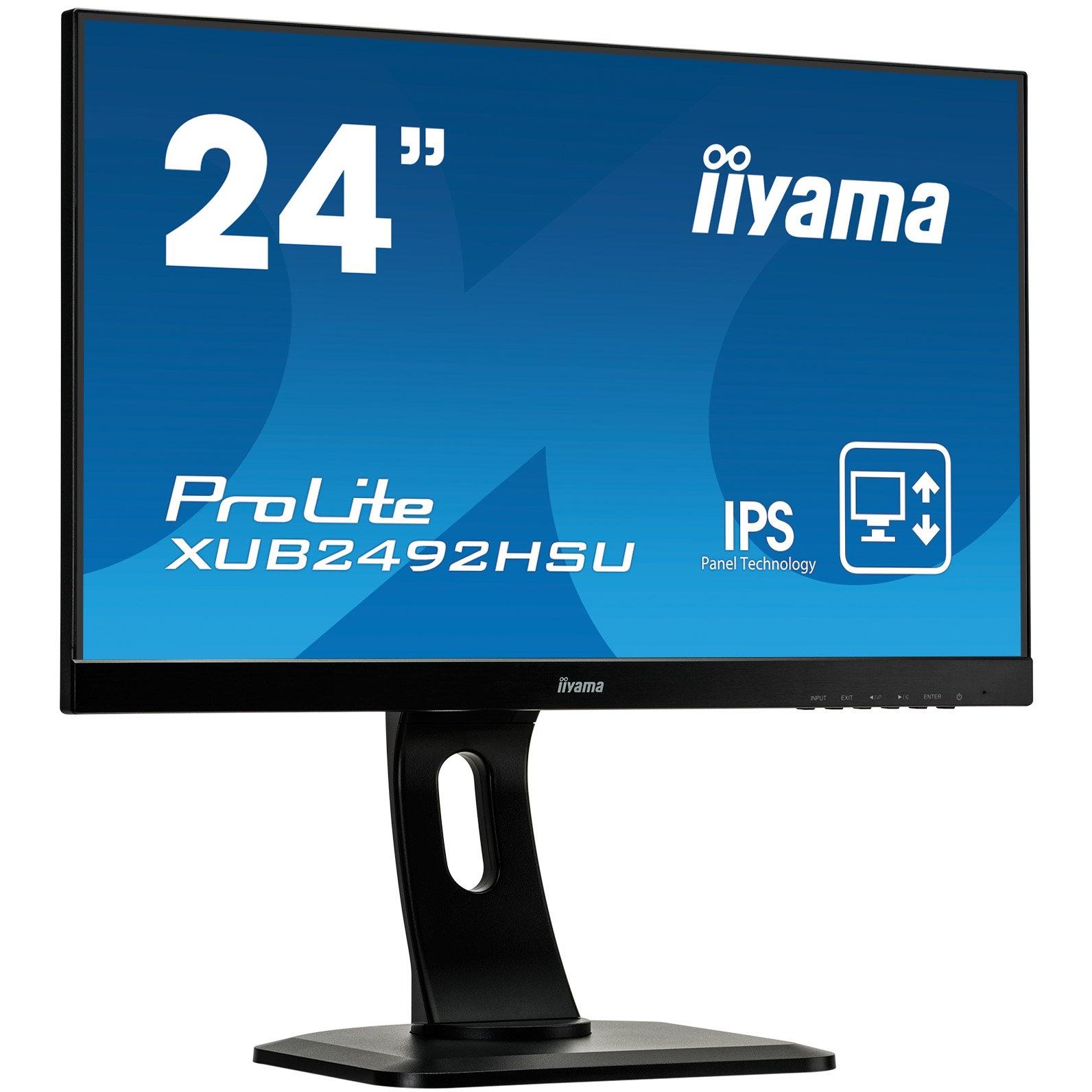
Height, pivot (rotation), swivel, tilt |
|
Display resolution The pixel dimensions of a display or image, expressed as width by height (e.g., 1920x1080). It indicates how many pixels are used to render visual content and is commonly used for monitors, TVs, smartphones, cameras, and digital images.
|
1920x1080 |
|
Display surface The visual appearance or texture of a product’s display surface, such as matte, glossy, or satin. It indicates how light reflects off the screen and can affect glare, visibility, and aesthetic preference for users.
|
Matt |
|
Display type The visual display technology used by the product, such as LED, LCD, OLED, IPS, AMOLED, or other panel types. It indicates the underlying screen technology that determines image quality, color reproduction and power consumption.
|
IPS |
|
Displayport connection Indicates whether the product includes at least one DisplayPort connector for high‑resolution video and audio transmission. A value of "Yes" means the device has a physical DisplayPort port; "No" indicates it does not.
|
Yes |
|
DisplayPort In The total count of physical DisplayPort input connectors available on the product. This value indicates how many separate DisplayPort interfaces can receive video and audio signals, allowing multiple external displays or devices to be connected simultaneously.
|
1 x DisplayPort |
|
DVI connection Indicates whether the product includes a DVI (Digital Visual Interface) port for video output. A value of "Yes" means the device has a DVI connector; "No" means it does not.
|
No |
|
DVI port Indicates how many DVI connectors are present on the product. The value is a simple integer representing the total count of DVI ports, regardless of type or version.
|
No |
|
Edition A brief statement indicating the edition or version of a product, such as "Reprint", "New Edition", or a numeric edition number like "2nd edition". It identifies which specific release of the item is being referenced.
|
ProLite XUB2492HSU |
|
Electrical Power Consumption The amount of electrical power that a device consumes during operation, expressed in watts (W). It represents the typical energy draw of the product while it is active and can be used to estimate operating costs or compare efficiency across similar devices.
|
16 W |
|
Electrical power consumption saving The electrical power drawn by a device while it is in standby mode, expressed in watts (W). It represents the minimal energy usage when the product is powered on but not actively performing tasks, and can be used to estimate idle consumption or compare efficiency across similar products.
|
0.5 W |
|
Energy class The energy class indicates the relative energy performance of a product, expressed with letters ranging from A+++ (most efficient) to G (least efficient). It allows consumers to compare expected operating costs and environmental impact across similar items.
|
Class A+ |
|
Energy efficiency class The energy efficiency class indicates the relative energy performance of a product, expressed with letters ranging from A+++ (most efficient) to G (least efficient). It allows consumers to compare expected operating costs and environmental impact across similar items.
|
A+ |
|
Energy efficiency class (SDR) The energy efficiency class indicates the relative performance of a product, expressed with letters ranging from A+++ (most efficient) to G (least efficient). It allows consumers to compare expected operating costs and environmental impact across similar items.
|
E |
|
Energy efficiency scale The energy efficiency scale indicates the relative performance of a product, expressed with letters ranging from A+++ (most efficient) to G (least efficient). It allows consumers to compare expected operating costs and environmental impact across similar items.
|
A to G |
|
Energy Star certified Indicates whether the product has been certified by Energy Star, a recognized standard for energy efficiency in appliances and electronics.
|
Yes |
|
EPEAT Compliance The level of a product’s compliance with the EPEAT (Electronic Product Environmental Assessment Tool) program, indicating how well it meets environmental and sustainability criteria. Typical levels are "Gold", "Silver" or "Bronze".
|
Silver |
|
Flat panel mount interface The pair of horizontal and vertical dimensions, in millimetres, that define the spacing between mounting holes on the back of a display or monitor. This pattern indicates the exact VESA standard supported by the product and is used to match compatible brackets or mounts.
|
100 x 100 mm |
|
Form factor Specifies the physical configuration or design of a product, such as ATX, Micro‑ATX, Mini‑ITX, tower, case with cover, etc. It describes how the device is built and what mounting or expansion options it supports.
|
LCD Monitor |
|
FreeSync Indicates whether a monitor or graphics card supports AMD’s Adaptive Sync technology, FreeSync. A value of "Yes" means the device is compatible; "No" means it does not support the feature.
|
No |
|
G-Sync Indicates whether the product supports NVIDIA’s G‑Sync technology, which dynamically adjusts the display refresh rate to eliminate screen tearing and reduce input lag.
|
No |
|
Gaming Indicates whether the product is suitable or intended for use in gaming environments. A value of "Yes" means the item is designed to meet the performance, ergonomics, or compatibility requirements typical of gaming setups; a value of "No" indicates it is not specifically tailored for gaming.
|
No |
|
Hard Glass Coating Indicates whether the product’s surface is treated with a hard glass coating, such as Gorilla Glass or similar protective layers that enhance scratch resistance and durability.
|
No |
|
HD type The pixel dimensions of a screen’s display expressed as width by height (e.g., 1920×1080). It indicates the number of pixels that can be shown on the monitor or device, affecting image sharpness and clarity.
|
Full HD |
|
HDCP Indica si el producto es compatible con la tecnología de protección de contenido digital (HDCP), lo que permite reproducir material protegido en pantallas y dispositivos compatibles.
|
Yes |
|
HDMI connection The total count of physical HDMI connectors available on the product for transmitting digital audio and video signals.
|
Yes |
|
HDR Support Indicates whether a display or device supports High Dynamic Range (HDR) content, and if so which HDR formats are supported. The value can be "Yes" or "No", or a specific HDR standard such as "HDR10" or "DisplayHDR 400".
|
No |
|
Headphone out Indicates whether the product has a dedicated headphone output for connecting headphones or earphones. The value may be "Yes" or "No", or it can specify the type of connector such as "3.5 mm jack", "USB‑C", or other descriptive terms.
|
Yes |
|
Height The vertical dimension of a product measured from its lowest to highest point. It is expressed in a physical unit such as millimetres, centimetres or inches and applies to any item where height is relevant, including books, electronics, furniture and other objects.
|
329 mm |
|
Height adjustable Indicates whether a product’s vertical dimension can be increased or decreased by the user, typically through mechanical or electronic means. The value is "Yes" if height adjustment is possible and "No" otherwise.
|
Yes |
|
Height adjustment The ability of a product to change its vertical dimension, typically measured in millimetres, centimetres or inches. It indicates whether the user can raise or lower the item and, if so, by how much. This attribute applies to monitors, desks, furniture, stands and other equipment that offer adjustable height.
|
Yes |
|
Horizontal Frequency high The rate, expressed in hertz (Hz), at which a display or monitor processes horizontal scan lines or refreshes the image horizontally. It indicates how many horizontal cycles occur per second and helps users understand performance characteristics related to display refresh, signal processing, or scanning operations.
|
80 KHz |
|
Horizontal Frequency low The lowest horizontal scan or refresh frequency that a display or monitor can operate at, expressed in kilohertz (kHz). It indicates the minimum rate at which horizontal lines are refreshed or processed, affecting image stability and motion handling.
|
30 KHz |
| Horizontal Refresh Rate | 30 - 80 kHz |
|
Horizontal viewing angle The horizontal viewing angle is the maximum width, measured in degrees, that a user can see across a display or screen while maintaining acceptable visual quality. It represents how far left and right one can look without significant loss of clarity or distortion.
|
89 |
|
Language selection A list of natural languages that can be displayed on the screen‑on‑display (OSD) interface of a device, such as a monitor or TV. Each language represents an option available for menu navigation, subtitles, and other on‑screen text.
|
11 languages (EN, DE, FR, IT, PL, ES, NL, CZ, Chinese, RU, JP) |
|
LED backlight The illumination source used behind a display panel, such as LED, WLED, CCFL or LCD. It determines the brightness, energy efficiency and color accuracy of the screen.
|
Yes |
|
Mac compatibility Indicates whether a product is compatible with Apple Mac computers or macOS operating systems. The value can be "Yes" if the device supports Macs, or "No" if it does not.
|
Yes |
|
Mac Compatibility Indicates whether a product is compatible with Apple Mac computers or macOS operating systems. The value can be "Yes" if the device supports Macs, or "No" if it does not.
|
Yes |
|
Mac operating systems supported A list of macOS operating system versions that the product supports or is compatible with, such as "macOS 10.15 Catalina", "macOS 11 Big Sur" or newer releases. Each entry represents a distinct OS version that can run on or be supported by the device.
|
Yes |
|
Market positioning A classification that indicates the target audience or use case for a product, such as Business, Gaming, Home & Office, Education, etc. It helps customers quickly identify which products are best suited to their needs.
|
Business |
|
On/off switch Indicates whether the product includes an on/off switch that allows the user to power it on or off manually.
|
Yes |
|
Operating relative humidity The range of relative humidity (in percentage) within which the product is designed to operate reliably. Values are expressed as a minimum–maximum interval such as "20 - 80 %" and indicate the acceptable environmental moisture level for optimal performance.
|
10 - 80 % |
|
Operating temperature The range of temperatures in which a product can safely operate without risk of damage or performance degradation. Values are expressed in degrees Celsius (°C) and may represent a single temperature, a minimum–maximum interval, or an average operating point.
|
5 |
|
Panel Finish The visual appearance or texture of a product’s display surface, such as matte, glossy, satin, or anti‑reflective. It indicates how light reflects off the screen and can affect glare, visibility, and aesthetic preference for users.
|
Matte |
|
Pitch Size The distance between the centers of two adjacent pixels on a display, expressed in a linear unit such as millimeters or inches. It indicates how densely pixels are packed; smaller values mean higher pixel density and sharper images.
|
0.275 x 0.275 mm |
|
Pivot The maximum rotation angle a monitor or display can achieve around its vertical axis, expressed in degrees. It indicates the range of motion available for adjusting screen orientation to improve ergonomics and viewing comfort.
|
Yes |
|
Pivot angle The maximum angular range a product can rotate or tilt around its vertical axis, expressed in degrees. It indicates how far the device can pivot from its neutral position while maintaining functionality and usability.
|
90 |
|
Pivot rotation Indicates whether a product can pivot or rotate, and if so, the maximum angle of rotation in degrees. Values may be "Yes" or "No" to denote presence of a pivot mechanism, or a numeric value such as "90 Degrees" to specify the achievable rotation range.
|
Yes |
|
Pixel pitch Represents the physical dimensions of a single pixel on a display or imaging device, expressed as width and height in a length unit (e.g., millimeters). This attribute allows comparison of the physical resolution across screens, cameras, and other pixel‑based technologies.
|
0.275 mm |
|
Plug and play Indicates whether the product can be used immediately after installation without requiring additional configuration or drivers.
|
Sí |
|
Position Adjustment Specifies the type of mechanical adjustment that a product offers for its position or orientation. Typical values include "Tilt", "Height Adjustable Pivot Swivel Stand Tilt", "Automatic Orientation Sense Horizontal/Vertical Standing", and other descriptive phrases indicating how the device can be moved or rotated.
|
Height Adjustable Pivot Swivel Stand Tilt |
|
Power consumption (on) The electrical power drawn by a device while it is actively powered on and in use, expressed in watts (W). It represents the typical energy consumption during normal operation and can be used to estimate operating costs or compare efficiency across similar products.
|
17.5 W |
|
Power management Indicates whether the device supports power‑management features such as automatic sleep, wake‑on‑LAN, or energy‑saving modes. A value of "Yes" means the product can enter low‑power states or be remotely controlled to conserve energy; "No" indicates it lacks these capabilities.
|
Yes |
|
Power management features A list of the power‑saving and energy‑management capabilities that a device offers, such as automatic standby, sleep modes, eco‑sensors, or support for standards like VESA DPMS and Energy Star certification. Each entry describes one feature and can be combined to give an overview of how the product manages power during operation and idle states.
|
VESA DPMS, Energy Star |
|
Power source The type of electrical supply that powers the device, such as mains electricity, batteries, USB power, or a combination of these options.
|
Mains Powered |
|
Power supply The electrical power consumption or output of the product, expressed in watts (W). It indicates how much energy the device uses during operation or how much power it can deliver to connected equipment.
|
External |
|
Quick start guide Indicates whether a quick‑start guide is provided with the product. A value of "Yes" means that a brief, introductory manual or overview is included to help users get started quickly; "No" indicates that no such guide is supplied.
|
Yes |
|
Refresh rate The number of times per second that a display updates its image, expressed in hertz (Hz). It indicates the smoothness and responsiveness of motion on the screen; higher rates generally provide a more fluid visual experience.
|
60Hz |
|
RMS rated power The root‑mean‑square (RMS) power rating of a device, expressed in watts (W). It represents the average electrical power that the product can deliver or consume under normal operating conditions.
|
4 W |
|
Rotating Indicates whether the product can rotate or swivel as part of its functionality, such as a rotating monitor stand or rotating camera mount.
|
Yes |
| Screen shape | Flat |
|
Screen Size Range The diagonal measurement of a display screen expressed in units such as inches or centimeters, presented as a range (e.g., "22 - 23 in") to indicate the typical size span for that product. It helps customers compare visual area across monitors, TVs, laptops and other devices.
|
24 - 29 in |
|
Screen technology The display panel type used in a visual device, such as IPS, TN, VA, OLED, or other technologies that define how pixels are produced and how the screen responds to light and touch. It indicates the underlying technology that affects contrast, color accuracy, viewing angles, response time, and power consumption.
|
TFT LCD IPS Panel |
|
Screen width The horizontal measurement of a display screen expressed in a linear unit such as millimetres or inches. It indicates how wide the visual area is from one edge to the other and is used for sizing, fitting, and compatibility purposes.
|
52.7 cm |
|
Security locking mechanics Indicates whether a product includes a dedicated Kensington lock slot, which is a physical opening designed to accept a Kensington-style cable lock or similar locking mechanism for preventing unauthorized removal or theft of the device.
|
Kensington Lock Slot |
|
Separate H/V sync Indicates whether the product supports separate horizontal and vertical synchronization signals, allowing independent control of timing for each scan line.
|
Yes |
|
Speaker configuration Describes the arrangement and characteristics of built-in speakers in a product, including the number of speakers, their power rating per unit, and any audio mode such as stereo or mono. The value is typically a comma-separated list where each entry specifies the power (e.g., "2W"), quantity (e.g., "x2"), and optional mode (e.g., "Stereo").
|
2W x2, Stereo |
|
Stand included Indicates whether the product comes with a stand or base included in the package. A value of "Yes" means a stand is supplied, while "No" indicates that no stand is provided and the user must obtain one separately.
|
Yes |
|
Storage relative humidity The range of relative humidity (expressed as a percentage) within which the storage device is designed to operate reliably. Values are given as a minimum–maximum interval such as "10 - 90 %" and indicate the acceptable environmental moisture level for optimal performance.
|
5 - 85 % |
|
Storage temperature The range of temperatures in which a device can safely operate without risk of damage or performance degradation. Values are expressed in degrees Celsius (°C) and may represent a single temperature, a minimum–maximum interval, or an average operating point.
|
-20 - 60 °C |
|
Sustainability certificates A list of environmental, safety or quality certifications that a product has obtained from recognized authorities. Typical entries include RoHS, ENERGY STAR, CE, WEEE, TCO Certified, FCC, and other industry‑specific standards.
|
EPEAT Silver, ENERGY STAR |
|
Swivel The maximum angular range, measured in degrees, that a product can rotate or swivel around its vertical axis. It indicates how far the device can pivot from its reference position while maintaining functionality and usability.
|
Yes |
|
Swivel angle range The maximum angular range a device can rotate or tilt, expressed as a numeric interval in degrees (e.g., "-45 to 45°"). It indicates how far the product can pivot left/right or up/down from its neutral position.
|
-45 - 45° |
|
Swivelling Indicates whether a product, such as a monitor or other device, can rotate around its vertical axis to adjust viewing angle. A value of "Yes" means the item supports swiveling; "No" means it does not.
|
Yes |
|
Thunderbolt Connection Indicates whether the product includes a Thunderbolt interface, allowing high‑speed data transfer, video output and power delivery in a single cable.
|
No |
|
Tilt Indicates whether the product includes a tilt function that allows the user to adjust the vertical angle of the device. A value of Yes means the product can be tilted up or down; No means it cannot.
|
Yes |
|
Tilt adjustment Indicates whether a product can be tilted or adjusted vertically, allowing the user to change its viewing angle. A value of "Yes" means the device supports tilt; "No" means it does not.
|
Yes |
|
Tilt angle The vertical angle at which a device can be tilted or adjusted, measured in degrees. It indicates how far up and down the user can move the device while maintaining acceptable performance or usability.
|
-5/+22 |
|
Touchsceen Indicates whether a product has a touch‑enabled display that can detect user input through finger or stylus contact.
|
No |
|
Touchscreen Indicates whether a device has a touchscreen interface that can detect touch input. The value is "Yes" if the device includes a functional touchscreen, and "No" otherwise.
|
No |
|
TV Tuner Indicates whether a product includes a built‑in television tuner that can receive broadcast signals directly without requiring an external receiver. A value of "Yes" means the device has such a tuner; a value of "No" means it does not.
|
No |
|
Type The general category or style of the product, such as laptop, printer cartridge, or cooling fan. It helps buyers quickly identify the nature of the item and compare similar products.
|
Speakers - stereo |
|
USB 2.0 ports quantity Represents the count of external USB 2.0 (high‑speed) connectors available on a device. The value is an integer indicating how many USB 2.0 ports can be used for data transfer or power delivery from the outside of the product, regardless of internal placement or version.
|
3 |
|
USB Hub Indicates whether the product includes an integrated USB hub. The value is "Yes" or "No", allowing users to quickly determine if additional USB ports are available.
|
Yes |
|
USB Ports Represents how many USB connectors are available on the product. The value is a simple integer indicating the total count of USB ports, regardless of type or version.
|
1 x USB 2.0 Hub (1 Upstream, 2 Downstream) |
|
Vertical frequency The number of times per second that a display or projector refreshes its image vertically, expressed in hertz (Hz). It indicates how many vertical scan lines are updated each second and determines the smoothness and stability of motion on the screen.
|
75 Hz |
|
Vertical Frequency low The lowest vertical scan frequency, expressed in hertz (Hz), that a display or projector can support. It indicates the minimum refresh rate at which the screen updates vertically and helps users assess suitability for low‑power or energy‑saving modes.
|
55 Hz |
|
Vertical refresh rate The range of frequencies (in hertz) at which a display can update its image vertically, indicating the minimum and maximum vertical scan rates supported by the device. It reflects how smoothly motion is rendered and helps users compare performance across monitors and projectors.
|
55 - 75 Hz |
|
VESA Mountable Indicates whether a product can be mounted using the VESA standard, which defines the spacing of mounting holes on the back of displays or monitors. The value can be "Yes" or "No", and may also include specific dimensions such as "100 × 100 mm" to specify the exact pattern supported.
|
Yes |
|
VESA mounting Indicates whether a product supports the VESA mounting standard, which defines the size and placement of mounting holes on displays or monitors. The value can be "Yes" or "No", or it may specify one or more VESA patterns such as "100 × 100 mm" to indicate the exact dimensions supported.
|
Yes |
|
VGA connection Indicates whether the product includes a VGA (Video Graphics Array) port for analog video output. A value of "Yes" means the device has a VGA connector; "No" indicates it does not.
|
Yes |
|
VGA In The total count and type of VGA input ports available on the device, expressed as a quantity followed by the connector name (e.g., "1 x 15-pin D-sub"). This attribute indicates how many VGA connections the product supports.
|
1 x 15-pin D-sub |
|
Viewable Size The measurement of a display’s diagonal expressed in inches or centimeters. It represents the overall visual area available for content and is commonly used to compare monitors, televisions, laptops, tablets, and other electronic devices.
|
23.8" |
|
Viewable size vertical The maximum vertical dimension of the visible area on a display screen, expressed as a linear measurement (e.g., centimeters or inches). It indicates how tall the portion of the screen that can be seen by a user is, which helps compare monitors and other visual devices.
|
29.6 cm |
| Voltage required | AC 120/230 V (50 - 60 Hz) |
|
Web Camera Indicates whether the product includes a built‑in webcam that captures video and/or still images for computer applications such as video conferencing, streaming or surveillance.
|
No |
|
Weight The mass of the product expressed in a standard unit such as grams or kilograms. It represents how heavy the item is and can be used for shipping calculations, handling instructions, or consumer information.
|
5.4 kg |
|
Width The horizontal measurement of a product, expressed in a linear unit such as millimetres or inches. It indicates how wide the item is from one side to the other and is used for sizing, fitting, and compatibility purposes.
|
539.5 mm |
|
Windows operating systems supported A list of Microsoft Windows operating system versions that the product is compatible with, including any relevant architecture or edition information.
|
Yes |

iiyama is a Japanese electronics company that produces a wide range of products, including monitors, laptops, and televisions. The company has a strong reputation for quality and innovation, and its products are popular among consumers and businesses alike.


