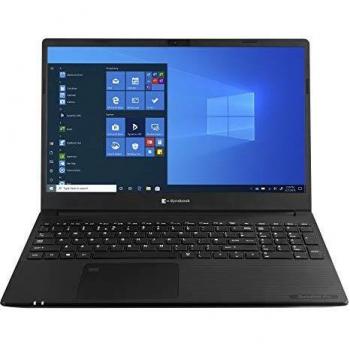
PA5356E Black USB‑C Dock


Sponsored This site contains affiliate links for which we may receive compensation. More information
Find other available options:

| Identifiers | |
|---|---|
| MPN | Toshiba PA5356E-1PRP |
| Dimensions / Weight | |
| Key Features | |
|
AC adapter included Indicates whether the product comes with an AC power adapter included in the package. A value of "Yes" means a charger is supplied, while "No" indicates that no charger is provided and the user must obtain one separately.
|
Yes |
|
Cables included A list of the cable types that are supplied with the product, such as USB, HDMI, VGA, DisplayPort, LAN (RJ‑45), SATA, audio or other relevant connectors.
|
AC,USB Type-C |
|
Card reader integrated Indicates whether the device includes a built‑in card reader that can read removable memory cards such as SD, microSD, MMC or similar formats.
|
Yes |
|
Compatible memory cards List of the memory card types that a device can read or write, such as MicroSD (TransFlash), SD, MMC, CompactFlash, and others. Each value represents a format that the device’s slot or reader supports for storage expansion.
|
SD,SDHC,SDXC |
|
Connectivity technology The network and data interface technologies supported by the product, such as Wired, Wireless, USB, Bluetooth, or combinations thereof. Each value represents a distinct technology that can be used for communication or power delivery.
|
Wired |
| DC-in jack | Yes |
|
Depth The linear measurement of an object from front to back or top to bottom, expressed in a physical unit such as millimeters, centimeters, inches, etc. It indicates how deep the item is and can be used for fitting, compatibility, or spatial planning.
|
84.4 mm |
|
Display modes A list of the different ways a device can present visual content, such as single screen, mirrored, extended or picture‑in‑picture. The values indicate how multiple displays are arranged or how the same image is shown on more than one screen.
|
Duplicate, Extended, PC screen only, Second screen only |
|
DisplayPorts quantity The total count of physical or virtual display output connections available on a device, such as HDMI, DisplayPort, DVI, VGA, or USB‑C ports that support video output.
|
1 |
|
Displays Supported The maximum count of display units that a product can accommodate or operate simultaneously, such as monitors, TVs, or other visual output devices. This value indicates how many separate displays the system is designed to support in its current configuration.
|
3 |
|
Ethernet LAN Indicates whether the product includes an Ethernet LAN interface for wired network connectivity, allowing data transmission over RJ‑45 or compatible cables.
|
Yes |
|
Ethernet LAN data rates Maximum theoretical speed at which a device can send or receive data over its Ethernet LAN interface, expressed in megabits per second (Mbps) or gigabits per second (Gbps). It represents the upper bound of throughput under optimal conditions and is useful for comparing network performance between devices with wired connectivity.
|
10,100,1000 Mbit/s |
|
Harmonized System HS code The Harmonized System (HS) code is a standardized numerical identifier used internationally to classify traded goods. It consists of up to six digits, where each pair of digits represents progressively more specific product categories. The HS code facilitates customs duties, trade statistics, and regulatory compliance by providing a common language for describing products across borders.
|
84733020 |
|
HD type The pixel dimensions of a screen’s display expressed as width by height (e.g., 1920×1080). It indicates the number of pixels that can be shown on the monitor or device, affecting image sharpness and clarity.
|
4K Ultra HD |
|
Headphone connectivity Indicates the types of headphone or earphone connections available on a product, such as wired jacks (e.g., 3.5 mm), USB‑C, Lightning, or wireless Bluetooth. The value may list one or more connection types separated by commas.
|
3.5 mm |
|
Height The vertical dimension of a product measured from its lowest to highest point. It is expressed in a physical unit such as millimetres, centimetres or inches and applies to any item where height is relevant, including books, electronics, furniture and other objects.
|
30 mm |
|
Host interface List of physical or logical interfaces that allow communication between a host device and other components, such as USB, PCI Express, SATA, M.2, Ethernet, Thunderbolt, or similar standards.
|
USB 3.2 Gen 1 (3.1 Gen 1) Type-C |
|
Hot-Plug support Indicates whether the product can be connected or removed while it is powered on without requiring a shutdown or reboot. A value of "Yes" means the device supports hot‑plugging, allowing components such as drives, peripherals or expansion cards to be added or removed safely during operation; "No" indicates that the device must be powered down before any hardware changes.
|
Yes |
|
Maximum digital resolution The highest pixel dimensions that a device can output or support, expressed as width by height (e.g., 1920x1080). It indicates the maximum resolution available for visual content on the product.
|
3840 x 2160 pixels |
|
Microphone in Indicates whether the product includes at least one built‑in microphone. A value of "Yes" means that the device has an integrated microphone, while "No" indicates it does not.
|
No |
|
On/off switch Indicates whether the product includes an on/off switch that allows the user to power it on or off manually.
|
Yes |
|
Output current The electrical current drawn by a device from its power source, expressed in amperes (A). It indicates how much current the product consumes during normal operation and helps determine compatibility with power supplies or USB ports.
|
5 A |
|
Output voltage The electrical potential difference that a device delivers to its load, expressed in volts (V). It indicates the nominal voltage supplied by the product’s power output and is useful for matching it with compatible accessories or systems.
|
20 V |
|
Plug and play Indicates whether the product can be used immediately after installation without requiring additional configuration or drivers.
|
Yes |
|
Power source type The type of electrical supply that powers the device, such as mains electricity, batteries, USB power, or a combination of these options.
|
DC |
|
Power supply The electrical power consumption or output of the product, expressed in watts (W). It indicates how much energy the device uses during operation or how much power it can deliver to connected equipment.
|
100 W |
| PowerShare | Yes |
|
USB 3.2 Gen 1 The total count of USB 3.2 Gen 1 (also known as USB 3.1 Gen 1 or SuperSpeed) ports available on the device, indicating how many peripherals can be connected simultaneously via this interface.
|
2 |
|
User guide The mass of the product expressed in a standard unit such as grams or kilograms. It represents how heavy the item is and can be used for shipping, handling, or user information purposes.
|
Yes |
| Warranty card | Yes |
|
Width The horizontal measurement of a product, expressed in a linear unit such as millimetres or inches. It indicates how wide the item is from one side to the other and is used for sizing, fitting, and compatibility purposes.
|
234 mm |

Toshiba is a Japanese multinational conglomerate corporation that provides a wide range of products, services and solutions. Some of their most well-known products include laptops, tablets, televisions and smartphones. Toshiba is a well-respected brand and is known for their high-quality products.