Samsung CF391 Series C32F391FX - LED Computer Monitor - curved - 32 Inches - 1920 x 1080 Full HD (1080p) - VA - 250 cd/m2 - 3000:1 - 4 ms - HDMI, DisplayPort - brilliant white


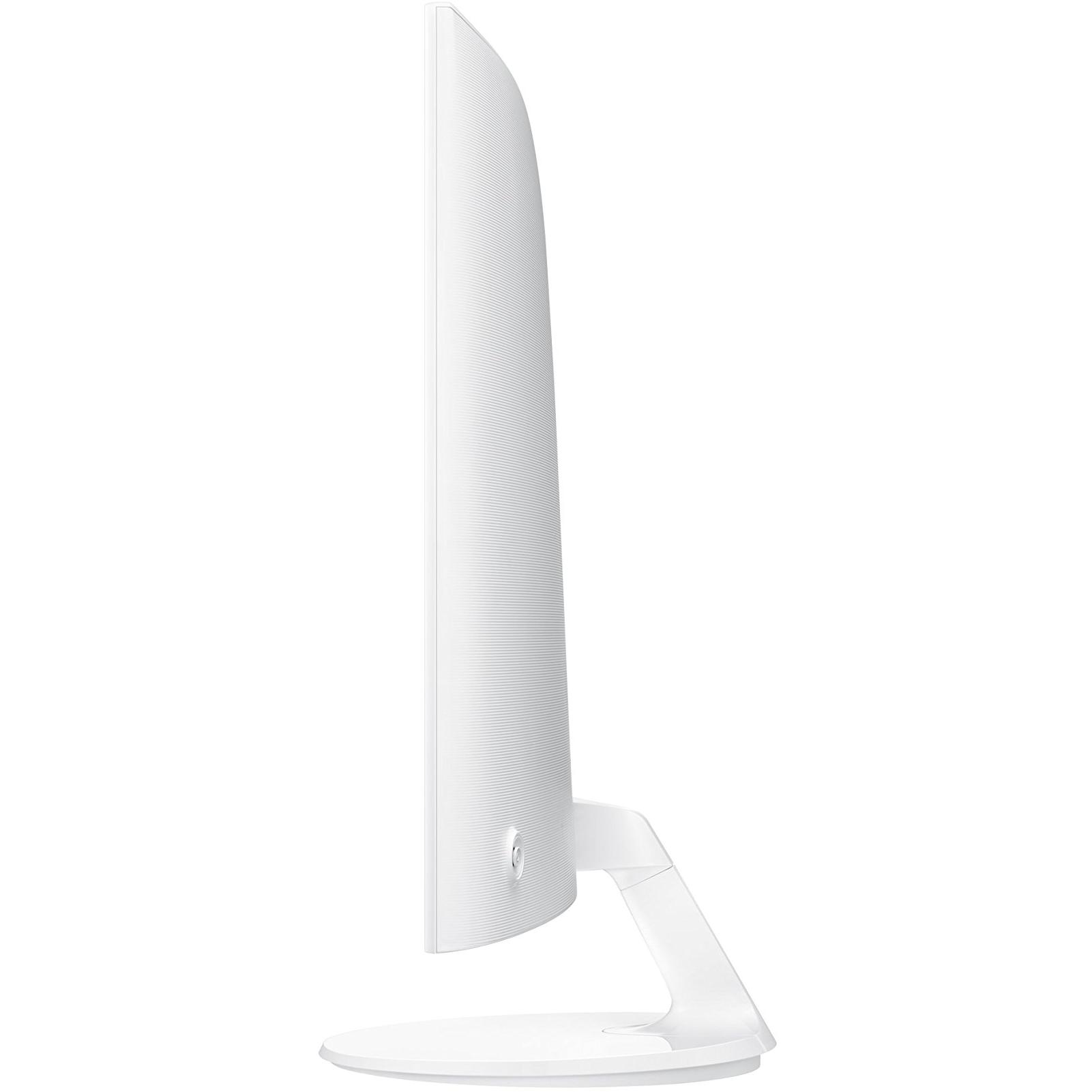

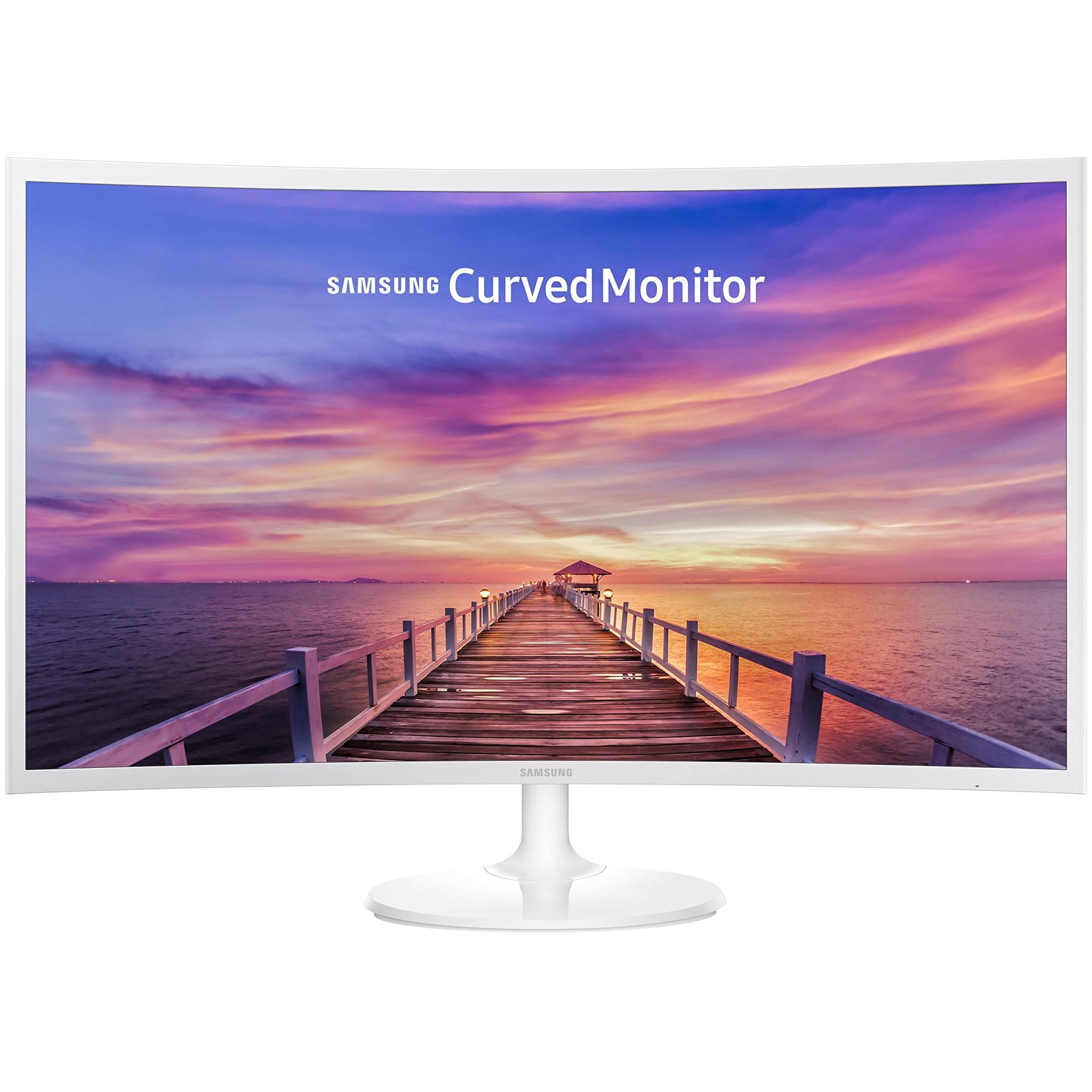
Sponsored This site contains affiliate links for which we may receive compensation. More information

Find other available options:

| Identifiers | |
|---|---|
| Model | Samsung Samsung C32F391 Curved 32inch Monitor |
| MPN | Samsung Samsung C32F391 Curved 32inch Monitor |
| Dimensions / Weight | |
| Key Features | |
|
AC adapter included Indicates whether the product comes with an AC power adapter included in the package. A value of "Yes" means a charger is supplied, while "No" indicates that no charger is provided and the user must obtain one separately.
|
Yes |
|
AC input voltage The range of alternating current voltage that the product accepts from its power source, expressed in volts (V). It indicates the minimum and maximum supply voltages compatible with the device across different regions.
|
100 |
|
Angle of inclination The maximum vertical tilt that a product can achieve, expressed as a numeric interval in degrees (e.g., "-5° to +35°"). It indicates how far the device can be inclined upward or downward from its neutral position while maintaining functionality and usability.
|
-2 / + 22 |
|
Annual energy consumption The total amount of electrical energy a product consumes in one year, expressed in kilowatt‑hours (kWh). This figure represents the expected yearly operating cost and allows consumers to compare the long‑term efficiency of appliances or electronics.
|
45 kWh |
|
Aspect ratio The proportion between the width and height of a display, image or video, expressed as two numbers separated by a colon (e.g., 16:9). It indicates whether content is designed for widescreen, square, or other aspect ratios.
|
16:9 |
|
Audio input Indicates whether the product includes a dedicated audio input port (e.g., 3.5 mm jack, RCA, optical). A value of "Yes" means an audio input is present; "No" means it is absent.
|
No |
|
Backlight technology The type of backlighting used in a display panel, such as LED, WLED, CCFL or LCD. It indicates the illumination source that provides uniform light behind the screen for image rendering.
|
LED backlight |
|
Built-in camera Indicates whether the product includes a built‑in camera that can capture images or video directly, without requiring an external device. A value of "Yes" means the device has such a camera; "No" means it does not.
|
No |
| Built-in USB Hub | No |
|
Cable lock slot Indicates whether the product includes a slot for inserting a cable lock, such as a Kensington or similar security device.
|
No |
|
Cables included A list of the cable types that are supplied with the product, such as USB, HDMI, VGA, DisplayPort, LAN (RJ‑45), SATA, audio or other relevant connectors.
|
AC,HDMI |
|
Colour The colour or combination of colours that a product is available in, expressed as common names such as "Black", "Silver" or comma‑separated lists like "Black, White". It indicates the visual appearance of the item for consumers.
|
White |
|
Colour support The number of distinct colours that a display or image can represent, expressed as an integer value such as "16.7 million colours". This metric indicates the richness and fidelity of colour reproduction for visual media.
|
16.7 million colours |
|
Colours A colour is a visual attribute that describes the hue or shade of an object or surface. It can be a single dominant colour, a combination of colours, or a range such as "Black, White". The value may be expressed in common names (e.g., Black, Silver) or descriptive terms (e.g., One Colour, Assorted).
|
Brilliant white |
|
Contrast ratio The contrast ratio is the proportion between the brightest and darkest luminance a display can produce, expressed as a simple ratio such as 1000:1. It indicates how well a screen can differentiate light from dark areas, affecting image clarity and color depth.
|
3000:1 |
|
Curved Screen Indicates whether a display or monitor has a curved screen design. The value is "Yes" when the product features a curved panel and "No" when it is flat. Some manufacturers also include the curvature radius (e.g., 1800R) in the value, which can be interpreted as the degree of curvature but does not affect the binary nature of the attribute.
|
Yes (1800R) |
|
Depth The linear measurement of an object from front to back or top to bottom, expressed in a physical unit such as millimeters, centimeters, inches, etc. It indicates how deep the item is and can be used for fitting, compatibility, or spatial planning.
|
94.4 mm |
|
Diagonal size The diagonal measurement of a display screen expressed in inches or centimeters. It indicates the overall visual area available for content and is commonly used to compare monitors, televisions, laptops, tablets, and other electronic devices.
|
32" |
| Display | LED |
|
Display brightness typical The average luminance emitted by a display under normal viewing conditions, expressed in candela per square meter (cd/m²). It indicates how bright the screen will appear to users and is useful for comparing monitors, TVs, laptops and other visual devices.
|
250 cd/m² |
| Display diagonal | 80.1 cm |
|
Display Diagonal The measurement of a display’s diagonal, expressed in inches or centimeters. It represents the overall visual area available for content and is commonly used to compare monitors, televisions, laptops, tablets, and other electronic devices.
|
81.3 cm (32") |
|
Display number of colours The total count of distinct colours that a product’s display can reproduce. This value indicates the colour depth or gamut capability of the screen, helping users compare visual fidelity across devices.
|
16.78 million colors |
|
Display position adjustments A list of the possible mechanical adjustments that can be made to a display’s position, such as tilt, height adjustment, swivel, and pivot (rotation). It indicates which movements are available on the product so users know how they can orient or level the screen for optimal viewing.
|
Tilt |
|
Display resolution The pixel dimensions of a display or image, expressed as width by height (e.g., 1920x1080). It indicates how many pixels are used to render visual content and is commonly used for monitors, TVs, smartphones, cameras, and digital images.
|
1920x1080 |
|
Display type The type of visual panel or display technology used in a product, such as LCD, LED, OLED, TFT, IPS, AMOLED, or analog. It indicates the underlying technology that determines image quality, color reproduction, power consumption and suitability for different use cases.
|
LED-backlit LCD monitor / TFT active matrix |
|
Displayports quantity The total count of physical or virtual display output connections available on a device, such as HDMI, DisplayPort, DVI, VGA, or USB‑C ports that support video output.
|
1 |
|
DVI port Indicates how many DVI connectors are present on the product. The value is a simple integer representing the total count of DVI ports, regardless of type or version.
|
No |
|
Dynamic contrast ratio marketing name The dynamic contrast ratio is the proportion between the maximum and minimum luminance a display can produce while operating under normal conditions, expressed as a simple fraction such as 1200:1. It reflects how well a screen can differentiate light from dark areas during typical use, influencing perceived image quality.
|
Mega Contrast |
|
ECO mode Indicates whether the product offers an energy‑saving or low‑power operating mode that reduces consumption during idle or normal use. The value is typically "Yes" if the feature is available and "No" otherwise.
|
Yes |
|
Energy class The energy class indicates the relative energy performance of a product, expressed with letters ranging from A+++ (most efficient) to G (least efficient). It allows consumers to compare expected operating costs and environmental impact across similar items.
|
Class A+ |
|
Energy efficiency class The energy efficiency class indicates the relative energy performance of a product, expressed with letters ranging from A+++ (most efficient) to G (least efficient). It allows consumers to compare expected operating costs and environmental impact across similar items.
|
A+ |
|
External power adapter Indicates whether the product comes with an external power adapter in its packaging. A value of "Yes" means a charger is supplied; a value of "No" means no charger is included and the user must obtain one separately.
|
Yes |
|
Flat panel mount interface The pair of horizontal and vertical dimensions, in millimetres, that define the spacing between mounting holes on the back of a display or monitor. This pattern indicates the exact VESA standard supported by the product and is used to match compatible brackets or mounts.
|
75 x 75 mm |
|
Game mode Indicates whether the product supports a dedicated game mode that optimizes performance or settings for gaming applications.
|
Yes |
|
HD type The pixel dimensions of a screen’s display expressed as width by height (e.g., 1920×1080). It indicates the number of pixels that can be shown on the monitor or device, affecting image sharpness and clarity.
|
Full HD |
|
HDMI A list of the HDMI ports available on the product, each entry indicating the number of ports and their specific HDMI version or additional features (e.g., "2 x HDMI 2.0b", "1 x HDMI 1.4 with CEC"). This attribute helps users understand both the quantity and capabilities of the HDMI connections.
|
Yes |
|
Headphone out Indicates whether the product has a dedicated headphone output for connecting headphones or earphones. The value may be "Yes" or "No", or it can specify the type of connector such as "3.5 mm jack", "USB‑C", or other descriptive terms.
|
Yes |
|
Height The vertical dimension of a product measured from its lowest to highest point. It is expressed in a physical unit such as millimetres, centimetres or inches and applies to any item where height is relevant, including books, electronics, furniture and other objects.
|
428 mm |
|
Horizontal viewing angle The horizontal viewing angle is the maximum width, measured in degrees, that a user can see across a display or screen while maintaining acceptable visual quality. It represents how far left and right one can look without significant loss of clarity or distortion.
|
178 |
|
Humidity range operating The range of relative humidity (expressed as a percentage) within which the product is designed to operate reliably. Values are given as a minimum–maximum interval such as "10 to 80%" and indicate the acceptable environmental moisture level for optimal performance.
|
10 - 80% (non-condensing) |
|
Image brightness The intensity of light emitted per unit area from a display surface, measured in candela per square meter (cd/m²). It indicates how bright the screen will appear under typical viewing conditions.
|
250cd/m2 |
|
LED indicators A list of the functions or statuses that an LED indicator on a device can display, such as power status, activity, link, and other operational signals.
|
Yes |
|
Maximum power consumption The highest electrical power that a device can draw or consume during operation, expressed in watts (W). It represents the peak energy usage of the product and is useful for estimating maximum power requirements, comparing efficiency across similar devices, and ensuring compatibility with power supplies.
|
35 W |
|
Maximum refresh rate The highest number of times per second that a display can update its image, expressed in hertz (Hz). It indicates the maximum refresh capability of the device and is useful for comparing visual performance across monitors, TVs, laptops, and other screen‑based products.
|
60 Hz |
|
NTSC coverage (typical) The percentage of the National Television System Committee (NTSC) color spectrum that a display or video device can reproduce, relative to the full NTSC standard. Values close to 100 % indicate that the product can render almost all colors defined by NTSC, providing accurate and vibrant visual output.
|
72% |
|
On/off switch Indicates whether the product includes an on/off switch that allows the user to power it on or off manually.
|
Yes |
|
Operating temperature The range of temperatures in which a product can safely operate without risk of damage or performance degradation. Values are expressed in degrees Celsius (°C) and may represent a single temperature, a minimum–maximum interval, or an average operating point.
|
10 |
|
Package depth The linear measurement from front to back or top to bottom of a product’s packaging, expressed in a physical unit such as millimeters, centimeters, inches, etc. It indicates how deep the packaged item is and can be used for fitting, compatibility, or spatial planning.
|
504 mm |
|
Package Height The vertical dimension of a product’s packaging measured from its lowest to highest point. It is expressed in a physical unit such as millimetres, centimetres or inches and helps customers assess how tall the package will be when stored or shipped.
|
186 mm |
|
Package width The horizontal measurement of a product’s packaging, expressed in a linear unit such as millimetres or inches. It indicates how wide the package is from one side to the other and helps customers assess fit for storage, shipping, or display.
|
804 mm |
|
Panel type The underlying display panel technology used in a visual device, such as IPS, TN, VA, OLED, AMOLED, or other variants. It indicates the type of liquid crystal arrangement or organic light‑emitting structure that determines image quality, color accuracy, viewing angles and power consumption.
|
VA |
|
Power cable length The linear distance that a power cable covers, expressed with a unit of length such as meters, centimeters or inches. It represents the total usable length of the cable for connecting devices and is useful for determining reach and compatibility with equipment.
|
1.5 m |
| Power consumption | 31 W |
| Power consumption (off) | 0.3 W |
|
Quick start guide Indicates whether a quick‑start guide is provided with the product. A value of "Yes" means that a brief, introductory manual or overview is included to help users get started quickly; "No" indicates that no such guide is supplied.
|
Yes |
|
Response time The time interval between a stimulus and the corresponding response of a device or system, expressed in units such as milliseconds (ms). It indicates how quickly the product reacts to input or processes data, which is critical for performance-sensitive applications like displays, gaming monitors, and interactive devices.
|
4 ms |
|
Screen curvature The measured distance from the center of a display to its surface, expressed in linear units such as centimeters or inches. It indicates how sharply a screen is curved and can affect viewing angle, depth perception, and visual comfort for users.
|
180 cm |
| Screen shape | Curved |
|
Stand included Indicates whether the product comes with a stand or base included in the package. A value of "Yes" means a stand is supplied, while "No" indicates that no stand is provided and the user must obtain one separately.
|
Yes |
|
Tilt adjustment Indicates whether a product can be tilted or adjusted vertically, allowing the user to change its viewing angle. A value of "Yes" means the device supports tilt; "No" means it does not.
|
Yes |
|
Tv tuner integrated Indicates whether a product includes an integrated television tuner that can receive broadcast signals directly without requiring an external receiver. The value is "Yes" or "No", representing the presence or absence of this feature.
|
No |
|
VESA mounting Indicates whether a product supports the VESA mounting standard, which defines the size and placement of mounting holes on displays or monitors. The value can be "Yes" or "No", or it may specify one or more VESA patterns such as "100 × 100 mm" to indicate the exact dimensions supported.
|
Yes |
|
Viewable size vertical The maximum vertical dimension of the visible area on a display screen, expressed as a linear measurement (e.g., centimeters or inches). It indicates how tall the portion of the screen that can be seen by a user is, which helps compare monitors and other visual devices.
|
69.8 cm |
| Voltage required | AC 120/230 V |
|
Weight The mass of the product expressed in a standard unit such as grams or kilograms. It represents how heavy the item is and can be used for shipping calculations, handling instructions, or consumer information.
|
6.2 kg |
|
Widescreen Indicates whether a display or screen supports the widescreen aspect ratio (typically 16:9). A value of "Yes" means the device is designed for widescreen content, while "No" indicates it does not support that format.
|
Widescreen |
|
Width The horizontal measurement of a product, expressed in a linear unit such as millimetres or inches. It indicates how wide the item is from one side to the other and is used for sizing, fitting, and compatibility purposes.
|
724.3 mm |

Samsung is a South Korean multinational conglomerate company. It is the world's largest information technology company, and the world's second-largest semiconductor company. Samsung Electronics, a subsidiary of Samsung Group, is the world's largest information technology company, and the world's second-largest semiconductor company.


