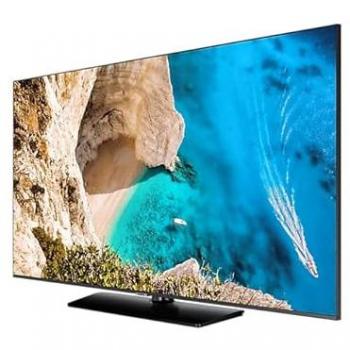
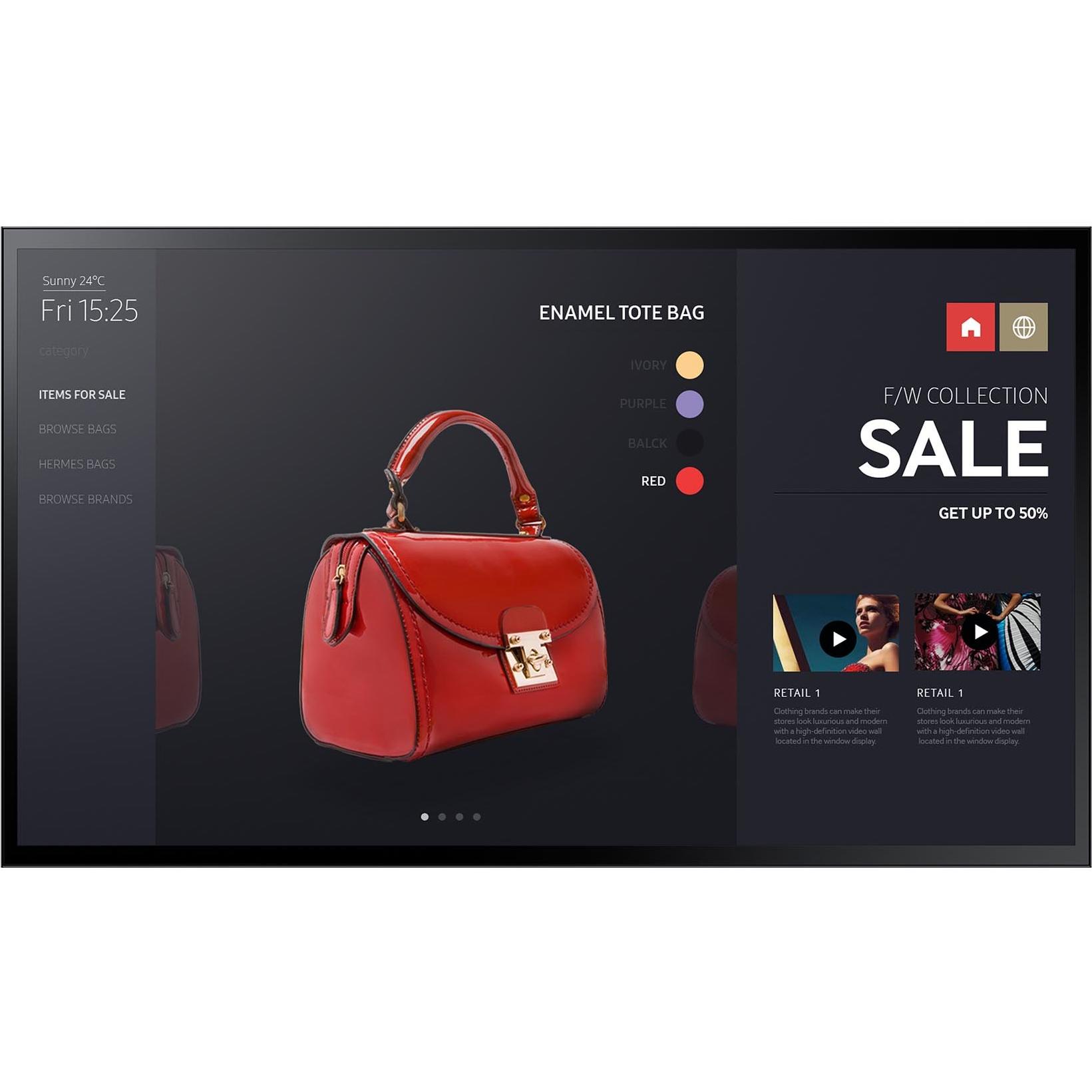
Samsung PM55F-BC 55" Multi-Touch LED Display
Sponsored This site contains affiliate links for which we may receive compensation. More information
Find other available options:

| Identifiers | |
|---|---|
| Model | Samsung LH55PMFXTBC/EN |
| MPN | Samsung LH55PMFXTBC/EN |
| Dimensions / Weight | |
| Key Features | |
|
3D Support Indicates whether the product can display or render three‑dimensional (3‑D) images, videos or games. A value of "Yes" means the device has native 3‑D capability; a value of "No" means it does not support 3‑D playback.
|
No |
|
AC input frequency The frequency of the alternating current supplied to a power supply or charger, expressed in hertz (Hz). It indicates the acceptable operating range for the electrical mains that powers the device, ensuring proper functionality and safety.
|
50/60 |
|
AC input voltage The range of alternating current voltage that the product accepts from its power source, expressed in volts (V). It indicates the minimum and maximum supply voltages compatible with the device across different regions.
|
100 - 240 |
|
Adaptive Frame-rate Technology The adaptive synchronization technology used by a display to match its refresh rate with the output of a graphics source, reducing screen tearing and stuttering during variable‑frame‑rate content.
|
N/A |
|
Aspect ratio The proportion between the width and height of a display, image or video, expressed as two numbers separated by a colon (e.g., 16:9). It indicates whether content is designed for widescreen, square, or other aspect ratios.
|
16:9 |
|
Audio formats supported A list of audio codecs and file formats that the product can play or output, such as AAC, MP3, FLAC, Dolby Digital, DTS, etc. Each value represents a supported combination of compression technology and file extension.
|
AC3,DTS |
|
Bezel width The linear measurement of the outer edge or frame surrounding a display, screen, or other product component, expressed in millimetres or inches. It indicates how wide the bezel is from one side to the other and helps customers assess fit, aesthetics, and compatibility with mounting brackets or protective cases.
|
2.5 cm |
|
Bezel width side The linear measurement of the bezel’s side edge on a display or similar product, expressed in millimetres or inches. It indicates how wide the bezel is from one side to the other and helps customers assess fit, aesthetics, and compatibility with mounting brackets or protective cases.
|
1.79 cm |
|
Built-in speakers Indicates whether the product includes built‑in speaker(s) that can produce sound without requiring external audio devices. A value of "Yes" means the device has one or more integrated speakers; a value of "No" means it does not.
|
Yes |
|
Cables included A list of the cable types that are supplied with the product, such as USB, HDMI, VGA, DisplayPort, LAN (RJ‑45), SATA, audio or other relevant connectors.
|
AC |
|
Color Bit Depth The number of bits used to represent each pixel’s color on a display, expressed as an integer followed by the total number of colors it can render (e.g., "8‑Bit (16.7M Colours)"). This metric indicates the depth of color reproduction and determines how smoothly gradients and subtle hues are displayed.
|
10-Bit (1.07B Colours) |
|
Colour The colour or combination of colours that a product is available in, expressed as common names such as "Black", "Silver" or comma‑separated lists like "Black, White". It indicates the visual appearance of the item for consumers.
|
Black |
|
Colour gamut The proportion of a reference color space that a display can reproduce, expressed as a percentage. This metric indicates how closely the device’s screen matches standards such as sRGB, NTSC, DCI‑P3 or Adobe RGB, helping users compare visual fidelity across monitors and other visual devices.
|
72% |
| Connectors | 1 x 3.5mm Audio In 1 x DisplayPort 1.2 1 x DVI-D 2 x HDMI 2.0 1 x Stereo Mini Jack 2 x USB 2.0 |
|
Design The visual style or aesthetic category of a product, such as "Digital signage flat panel", "Modern", "Retro", or "Sporty". It describes the overall look and feel that distinguishes the item from others in its class.
|
Digital signage flat panel |
|
Display brightness The amount of light emitted per unit area from a display surface, measured in candela per square meter (cd/m²). It indicates how bright the screen will appear under typical viewing conditions and allows users to compare brightness levels across devices.
|
400 cd/m² |
| Display diagonal | 139.7 cm (55") |
|
Display number of colours The total count of distinct colours that a display can render, typically expressed as a numeric value (e.g., 16.78 million). This attribute indicates the colour depth and richness of the visual output; higher numbers generally mean more accurate and vibrant images.
|
1.073 billion colours |
|
Display resolution The pixel dimensions of a display or image, expressed as width by height (e.g., 1920x1080). It indicates how many pixels are used to render visual content and is commonly used for monitors, TVs, smartphones, cameras, and digital images.
|
1920 x 1080 pixels |
|
Display type The type of visual panel or display technology used in a product, such as LCD, LED, OLED, TFT, IPS, AMOLED, or analog. It indicates the underlying technology that determines image quality, color reproduction, power consumption and suitability for different use cases.
|
LED |
|
Displayports quantity The total count of physical or virtual display output connections available on a device, such as HDMI, DisplayPort, DVI, VGA, or USB‑C ports that support video output.
|
2 |
|
DVI-I ports quantity Represents how many DVI‑I connectors are present on the product. The value is a simple integer indicating the total count of DVI‑I ports, regardless of version or configuration.
|
1 |
|
Dynamic contrast ratio The dynamic contrast ratio is the proportion between the maximum and minimum luminance a display can produce while operating under normal conditions, expressed as a simple fraction such as 1200:1. It reflects how well a screen can differentiate light from dark areas during typical use, influencing perceived image quality.
|
3000:1 |
|
Dynamic contrast ratio marketing name The dynamic contrast ratio is the proportion between the maximum and minimum luminance a display can produce while operating under normal conditions, expressed as a simple fraction such as 1200:1. It reflects how well a screen can differentiate light from dark areas during typical use, influencing perceived image quality.
|
Mega Contrast |
|
Edition A brief statement indicating the edition or version of a product, such as "Reprint", "New Edition", or a numeric edition number like "2nd edition". It identifies which specific release of the item is being referenced.
|
PM55F-BC |
|
HD type The pixel dimensions of a product’s screen, expressed as width by height (e.g., 1920x1080). It indicates the total number of pixels that compose the display and is used to assess image sharpness and clarity across devices such as monitors, TVs, laptops, and cameras.
|
Full HD |
|
HDCP Indicates whether a device supports HDCP (High‑bandwidth Digital Content Protection), allowing it to play or display protected digital content on compatible screens and audio/video equipment.
|
Yes |
|
HDMI version The specific version of the HDMI standard that a product supports, such as "2.0", "2.1" or "1.4b". This value indicates the capabilities and compatibility of the HDMI interfaces on the device.
|
2.0 |
|
HDR Support Indicates whether a display or device supports High Dynamic Range (HDR) content, and if so which HDR formats are supported. The value can be "Yes" or "No", or a specific HDR standard such as "HDR10" or "DisplayHDR 400".
|
No |
|
Horizontal scan range The range of frequencies, expressed in kilohertz (kHz), over which a device can process or display horizontal signals or scan lines. It indicates the minimum and maximum operating frequencies for horizontal scanning operations.
|
30 - 81 kHz |
|
Image formats supported A list of the file extensions and codecs that a product can read, display, or record. Each value represents a valid format such as JPG, PNG, BMP, GIF, HEIF, WebP, RAW, etc., and may include both the extension and the associated codec name.
|
PNG |
|
Internal storage capacity The total amount of digital storage available inside a device for holding files, applications and other data. It is expressed as a numeric value with an appropriate unit such as GB, MB or TB, allowing users to compare how much information the device can store.
|
8 GB |
|
L2 cache The amount of internal memory reserved for a processor’s L2 cache, expressed as a pair of values: the number of banks and the capacity per bank (e.g., "4 x 256 KB"). This format allows specification of both the count of cache banks and the capacity of each bank, which together determine the total L2 cache available to the CPU.
|
32 KB |
|
LED backlighting type The type of LED backlighting used in a display panel, such as Direct‑LED, Edge‑LED, Full‑Array or other LED configurations. It indicates how the light source is arranged behind the screen to provide illumination and uniformity.
|
Edge-LED |
|
Memory clock speed The maximum operating frequency of a memory module, expressed in hertz (Hz). It indicates how many cycles per second the RAM can perform and is typically reported as MHz or GHz. This value helps users compare performance potential across different memory types and system configurations.
|
1866 MHz |
|
Operating relative humidity The range of relative humidity (in percentage) within which the product is designed to operate reliably. Values are expressed as a minimum–maximum interval such as "20 - 80 %" and indicate the acceptable environmental moisture level for optimal performance.
|
10 - 80% |
|
Operating temperature The range of temperatures in which a product can safely operate without risk of damage or performance degradation. Values are expressed in degrees Celsius (°C) and may represent a single temperature, a minimum–maximum interval, or an average operating point.
|
0 - 40 °C |
|
Orientation Indicates the preferred or supported orientation of a product, such as landscape, portrait, horizontal/vertical, or other directional settings. This attribute helps users understand how the device can be positioned for optimal use.
|
Horizontal/Vertical |
|
Panel Coating The protective or optical treatment applied to a display surface, such as anti‑glare coatings, hard coatings of various hardness levels (e.g., 3H, 7H), matte finishes, or low haze treatments. It indicates how the screen resists glare, fingerprints, scratches, and other environmental factors.
|
Non-Glare |
|
Panel type The specific technology used to construct the display panel, such as IPS, TN, VA, OLED, or LCD. It indicates how pixels are controlled and affects image quality, color accuracy, viewing angles, and power consumption.
|
E-LED BLU |
|
Pitch Size The distance between the centers of two adjacent pixels on a display, expressed in a linear unit such as millimeters or inches. It indicates how densely pixels are packed; smaller values mean higher pixel density and sharper images.
|
0.630(H) x 0.630(V) |
|
Pixel pitch Represents the physical dimensions of a single pixel on a display or imaging device, expressed as width and height in a length unit (e.g., millimeters). This attribute allows comparison of the physical resolution across screens, cameras, and other pixel‑based technologies.
|
0.63 x 0.63 mm |
| Power consumption | 125 W |
| Power consumption (off) | 0.5 W |
|
Power Usage Switched on The amount of electrical power the product draws while it is switched on and in operation, expressed in watts (W). This value represents the typical energy consumption during normal use and can be used to estimate operating costs or compare efficiency across similar devices.
|
154 W |
|
Processor cores The total number of physical processing units in a single central processing unit (CPU). This value indicates how many independent tasks the CPU can handle simultaneously, influencing multitasking and parallel performance.
|
4 |
|
Processor family The processor family identifies the group or series of CPU models that share a common architecture, design, and performance characteristics. It helps users compare processors across brands and generations by indicating the underlying technology used in the chip.
|
ARM Cortex |
|
Processor frequency The fundamental operating frequency of a processor, expressed in hertz (Hz). It indicates the speed at which the CPU runs under normal conditions and is typically reported in gigahertz (GHz) or megahertz (MHz). This value helps users compare performance potential across different models.
|
1.3 GHz |
|
Refresh rate The number of times per second that a display updates its image, expressed in hertz (Hz). It indicates the smoothness and responsiveness of motion on the screen; higher rates generally provide a more fluid visual experience.
|
60Hz |
|
Speaker configuration Describes the arrangement and characteristics of built-in speakers in a product, including the number of speakers, their power rating per unit, and any audio mode such as stereo or mono. The value is typically a comma-separated list where each entry specifies the power (e.g., "2W"), quantity (e.g., "x2"), and optional mode (e.g., "Stereo").
|
10W x2 |
|
Speakers Indicates the type of audio system integrated into a speaker or audio device, such as stereo, mono, or an integrated sound system.
|
Yes |
|
Supported Graphics Resolutions The pixel dimensions that a device can output or support, expressed as width by height (e.g., 1920x1080). It indicates the maximum resolution available for display content on the product.
|
1920 x 1080 (HD 1080) |
|
Touchsceen Indicates whether a product has a touch‑enabled display that can detect user input through finger or stylus contact.
|
Yes |
|
Vertical scan range The range of vertical scan frequencies that a display device can support, expressed in hertz (Hz). It indicates the minimum and maximum refresh rates at which the screen updates vertically, affecting visual smoothness and stability.
|
48 - 75 Hz |
|
VESA Specifies the VESA mounting pattern supported by a display or monitor, expressed as a pair of horizontal and vertical dimensions in millimetres (e.g., "100 × 100 mm"). The value indicates the exact hole spacing that a mounting bracket must match to secure the device.
|
400 x 400 |
|
Video formats supported A list of video file formats that the product can play or record, including both the compression codec and the file extension. Each value represents a valid combination of technology and format supported by the device’s hardware or software.
|
AVC,AVS,H.263,MPEG,MPEG2,MPEG4,VC-1,VP8,VP9 |
|
Viewing angle horizontal The horizontal viewing angle is the maximum width, measured in degrees, that a user can see across a display or screen while maintaining acceptable visual quality. It indicates how far left and right one can look without significant loss of clarity or distortion.
|
178° |
|
Web Camera Indicates whether the product includes a built‑in webcam that captures video and/or still images for computer applications such as video conferencing, streaming or surveillance.
|
No |
|
Weight with stand The total mass of a product including any attached stand or base, expressed in a standard unit such as grams or kilograms. This measurement is useful for shipping calculations, handling instructions, and consumer information.
|
26.4 kg |

Samsung is a South Korean multinational conglomerate company. It is the world's largest information technology company, and the world's second-largest semiconductor company. Samsung Electronics, a subsidiary of Samsung Group, is the world's largest information technology company, and the world's second-largest semiconductor company.