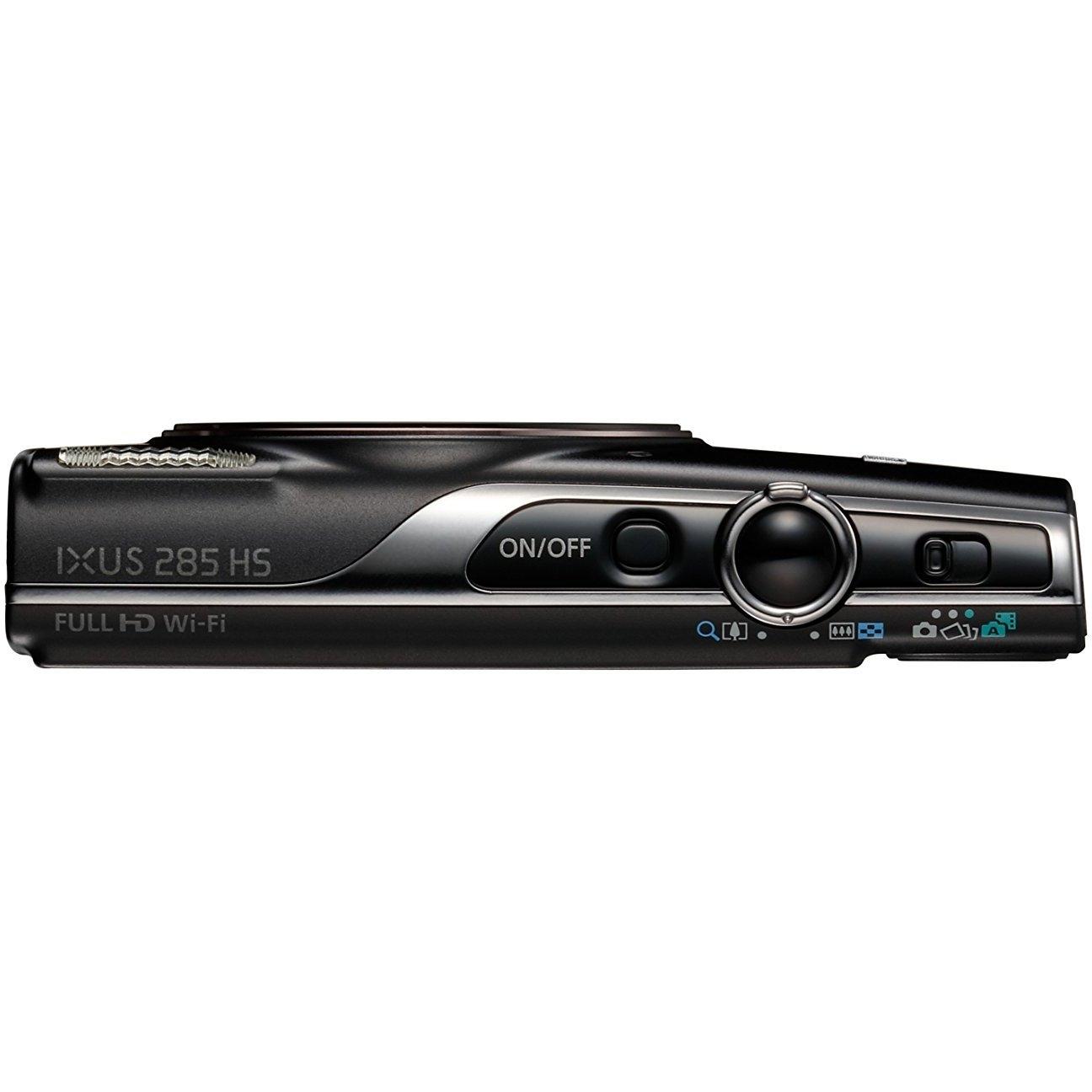
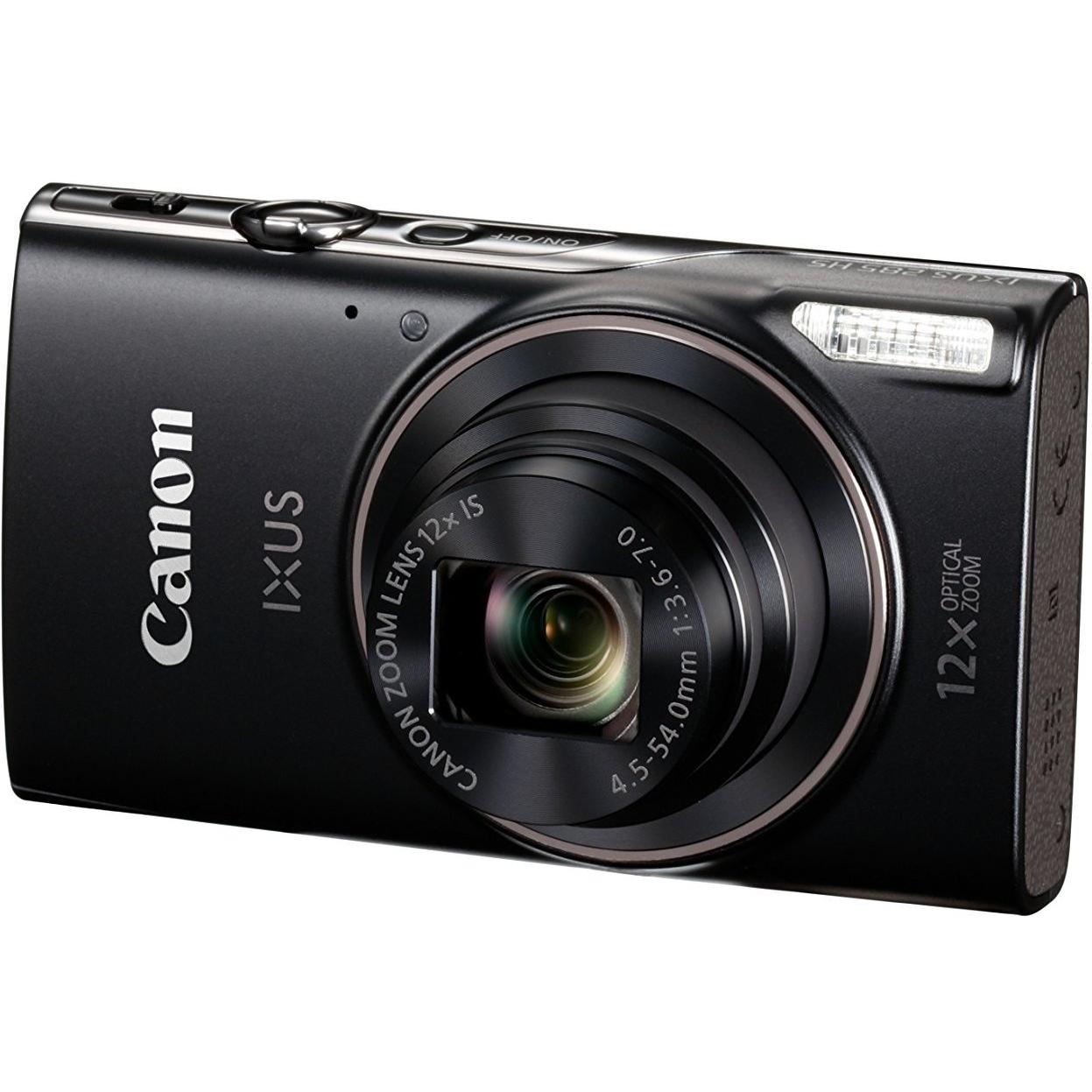
Canon IXUS 285 Compact Camera with 3-Inch LCD Screen - Black CLEARANCE1894



Sponsored This site contains affiliate links for which we may receive compensation. More information
Find other available options:

| Identifiers | |
|---|---|
| Model | Canon 1076C007 |
| MPN | Canon 2421Y85 |
| Dimensions / Weight | |
| Key Features | |
|
Analog signal format system Specifies the analog video signal standards that a device can receive or transmit, such as NTSC, PAL, or SECAM. Each value represents one of the common broadcast formats used worldwide.
|
NTSC,PAL |
|
Battery charger included Indicates whether a battery charger is supplied with the product. A value of "Yes" means a charger is included, while "No" indicates that no charger is provided and must be purchased separately.
|
Yes |
|
Battery technology The chemical composition or classification of a battery, such as lithium‑ion, lithium‑polymer, nickel‑metal hydride, sealed lead acid, alkaline, zinc‑air, etc. It indicates the type of electrochemical reaction that stores and delivers energy in the device.
|
Lithium-Ion (Li-Ion) |
|
Battery type The chemical composition or classification of a battery, such as alkaline, lithium‑ion, NiMH, or lead‑acid. It indicates the energy storage technology used in the product and helps users identify compatibility with devices that require specific battery chemistries.
|
NB-11LH |
|
Brightness adjustment Indicates whether the device supports adjusting its brightness level. A value of "Yes" means the user can change the display or camera exposure brightness, while "No" indicates a fixed setting.
|
Yes |
|
Built-in microphone Indicates whether the product includes at least one built‑in microphone. A value of "Yes" means that the device has an integrated microphone, while "No" indicates it does not.
|
Yes |
|
Bundled software A list of software programs and utilities that come pre-installed or bundled with the product, such as operating systems, drivers, antivirus suites, or other essential applications.
|
CameraWindow DC Map Utility Image Transfer Utility Camera Connect |
|
Cables included A list of the cable types that are supplied with the product, such as USB, HDMI, VGA, DisplayPort, LAN (RJ‑45), SATA, audio or other relevant connectors.
|
AV,USB |
|
Camera file system A list of the image and metadata file formats that a camera can capture or store, such as DPOF, Exif, RAW, MPF, or DCF. Each entry represents a distinct format supported by the device, allowing users to understand what types of files they will receive when using the camera.
|
DPOF 1.1,Exif 2.3 |
|
Camera type The general classification of a camera, such as compact, single‑lens reflex (SLR), mirrorless interchangeable lens camera (MILC), bridge, or video camera. It indicates the form factor and primary use case of the device.
|
Compact camera |
|
Closest focusing distance The minimum distance at which a camera lens can focus on an object while maintaining sharpness and clarity. It is expressed as a linear measurement (e.g., meters or centimeters) and indicates how close the subject can be to the sensor before the image becomes out of focus.
|
0.01 m |
|
Compatible memory cards List of the memory card types that a device can read or write, such as MicroSD (TransFlash), SD, MMC, CompactFlash, and others. Each value represents a format that the device’s slot or reader supports for storage expansion.
|
SD,SDHC,SDXC |
| Contrast adjustment | Yes |
|
Depth The linear measurement of an object from front to back or top to bottom, expressed in a physical unit such as millimeters, centimeters, inches, etc. It indicates how deep the item is and can be used for fitting, compatibility, or spatial planning.
|
22.8 mm |
|
Digital zoom Represents the multiplier that indicates how many times an image or field of view is enlarged by digital zoom. The value is expressed as a number without units, such as "4x" or "1.5x", where the numeric part indicates the factor of increase.
|
4x |
|
Display The visual technology used by the product’s screen, such as LCD, LED, OLED, TFT or analog. It indicates the underlying display panel that determines image quality, color reproduction and power consumption.
|
LCD |
| Display Diagonal | 7.62 cm (3") |
|
External flash connector Indicates whether the product includes an external flash connector that can be used to attach a separate flash unit for additional lighting. A value of "Yes" means such a connector is present; a value of "No" (or equivalent) means it is absent.
|
Yes |
|
Fastest camera shutter speed The maximum duration that a camera’s shutter remains open to expose the sensor or film, expressed in seconds or fractions of a second (e.g., 1/4000 s). It determines how motion is captured and affects exposure; shorter times freeze action while longer times allow more light for low‑light situations.
|
1/2000 s |
|
Field of view The proportion or angular extent that a device, such as a camera or binocular, can capture or display. Values may be expressed as a percentage of coverage (e.g., 100 %) or in degrees for horizontal/vertical angles (e.g., 160°). The attribute indicates how wide the field of view is relative to the sensor or lens.
|
100% |
|
Flash exposure compensation Indicates whether the camera’s flash exposure compensation feature is enabled. A value of "Yes" means the device can adjust the flash output to compensate for lighting conditions, while "No" indicates this feature is not available.
|
Yes |
|
Flash modes A list of the available settings for a camera or imaging device’s flash system, such as Auto, Manual, Flash off, Flash on, Red‑eye reduction, Slow synchronization, and other manufacturer‑specific options. Each value represents a selectable mode that determines how the flash is activated during image capture.
|
Auto,Flash off,Flash on,Manual,Red-eye reduction,Slow synchronization |
|
Flash range (tele) The maximum distance at which the camera’s flash can effectively illuminate a subject, expressed as a numeric range in meters (e.g., "1 - 3 m"). This attribute indicates how far the flash light reaches under typical shooting conditions.
|
1 - 2 m |
|
Focus Specifies the focusing behavior of a camera or imaging device, indicating whether it uses automatic focus, manual focus, or a combination such as auto‑manual. The value is expressed as a free‑text string that describes the mode in use.
|
TTL |
|
HD type The pixel dimensions of a screen’s display expressed as width by height (e.g., 1920×1080). It indicates the number of pixels that can be shown on the monitor or device, affecting image sharpness and clarity.
|
Full HD |
|
HDMI A list of the HDMI ports available on the product, each entry indicating the number of ports and their specific HDMI version or additional features (e.g., "2 x HDMI 2.0b", "1 x HDMI 1.4 with CEC"). This attribute helps users understand both the quantity and capabilities of the HDMI connections.
|
Yes |
| HDMI connector type | Micro |
|
Height The vertical dimension of a product measured from its lowest to highest point. It is expressed in a physical unit such as millimetres, centimetres or inches and applies to any item where height is relevant, including books, electronics, furniture and other objects.
|
58 mm |
|
Histogram Indicates whether the camera includes a histogram display in its viewfinder or LCD screen, allowing users to assess exposure distribution.
|
Yes |
|
Image formats supported A list of the file extensions and codecs that a product can read or write for images. Each value represents a valid format such as JPG, PNG, BMP, GIF, HEIF, WebP, etc., and may include multiple formats separated by commas.
|
JPG |
|
Image quality adjustment A collection of settings that can be modified to improve the visual appearance of an image or video, such as brightness, contrast, saturation, sharpness and other similar controls. Each value represents a distinct adjustment option available on the product.
|
Brightness,Contrast |
|
Image sensor size The diagonal measurement of the image sensor in a camera or imaging device, expressed in inches or millimeters. It indicates the overall active area available for capturing light and is commonly used to compare sensor sizes such as 1/2.3", 1/1.7", APS‑C, Full‑Frame, etc.
|
1/2.3" |
|
Image stabilizer Indicates whether the device includes an image stabilization system, either optical or electronic, that reduces camera shake to produce sharper photos and smoother video recordings.
|
Yes |
|
Image stabilizer location The physical location of the image stabilization system within a camera or imaging device, such as on the lens assembly or in the camera body. This indicates where the stabilization mechanism is mounted and helps users understand whether the feature is integrated into the lens, the sensor module, or the main chassis.
|
Lens |
|
ISO Sensitivity The ISO sensitivity setting of a camera, indicating the sensor’s sensitivity to light. Values are typically numeric (e.g., 100, 200, 400) and may include an "Auto" option where the camera selects the appropriate ISO automatically.
|
80,100,200,400,800,1600,3200,Auto |
|
Light exposure correction The adjustment applied to a camera’s sensor exposure to compensate for lighting conditions, expressed in Exposure Value (EV) units. Positive values increase brightness, negative values decrease it, and the step size indicates how finely the adjustment can be tuned.
|
± 2EV (1/2EV step) |
|
Light exposure modes The set of camera settings that determine how the sensor is exposed to light. Common values include Auto, Aperture priority, Shutter priority, Manual and combinations thereof. Each value represents a selectable mode that controls shutter speed, aperture, ISO or a combination of these parameters.
|
Auto |
|
Light metering The method used by a camera to determine the appropriate exposure settings based on the scene’s lighting conditions. Common modes include Centre‑weighted, Spot, Evaluative (Multi‑pattern), and Highlight‑weighted. The value is typically a single mode or a comma‑separated list of modes that can be applied simultaneously.
|
Centre-weighted,Evaluative (Multi-pattern),Spot |
|
Mac operating systems supported A list of macOS operating system versions that the product supports or is compatible with, such as "macOS 10.15 Catalina", "macOS 11 Big Sur" or newer releases. Each entry represents a distinct OS version that can run on or be supported by the device.
|
Mac OS X 10.10 Yosemite,Mac OS X 10.11 El Capitan,Mac OS X 10.9 Mavericks |
|
Maximum aperture number The highest f‑number (aperture value) that a camera lens can achieve when fully wide open. It indicates the maximum light‑gathering capability of the lens and is expressed as an integer or decimal without units.
|
7 |
|
Maximum image resolution The highest pixel dimensions of an image or display that a product can output, capture, or support, expressed as width by height (e.g., 1920x1080). It indicates the maximum resolution available for visual content on the device.
|
5184 x 3888 pixels |
|
Maximum video resolution The highest pixel dimensions that a device can output or support for video playback or recording, expressed as width by height (e.g., 1920x1080). It indicates the maximum resolution available for visual content on the product.
|
1920 x 1080 pixels |
|
Megapixel The total number of megapixels that a camera sensor can capture, expressed as a numeric value without units. Higher values generally indicate greater detail and image quality.
|
20.2 MP |
|
Minimum aperture number The total count of openings, such as holes or ports, present in a product. This value indicates how many separate apertures are available for access, ventilation, or connection purposes.
|
3.6 |
|
Number of batteries supported The total count of battery units that a product can accommodate or use simultaneously. This value indicates how many separate batteries are required, optional, or compatible with the device, helping users understand power capacity and replacement options.
|
1 |
|
Orientation sensor Indicates whether the product is equipped with an orientation sensor, a device that detects its position relative to gravity or the Earth's magnetic field. A value of "Yes" means the sensor is present; "No" means it is absent.
|
Yes |
|
Photo effects A list of photographic effects that can be applied to images, such as black‑and‑white, sepia, vivid, or other stylistic filters. Each value represents a distinct effect that may be available in the product’s software or hardware.
|
Black&White,Neutral,Positive film,Sepia,Skin tones,Vivid |
|
PictBridge Indicates whether the product can send images directly to a printer that supports the PictBridge standard without requiring an intermediate computer.
|
Yes |
|
Power source type The type of electrical supply that powers the device, such as mains electricity, batteries, USB power, or a combination of these options.
|
Battery |
|
Resolution at capture speed The pixel dimensions of a screen when captured or recorded, expressed as width by height (e.g., 1920x1080). It indicates the resolution that can be obtained from a device’s display during capture or recording sessions and is useful for comparing visual quality across devices.
|
640x480@30fps,1280x720@30fps,1920x1080@30fps |
|
Scene modes A set of predefined camera settings that automatically adjust exposure, white balance, focus and other parameters to suit specific shooting situations such as portrait, landscape, night or sports. Each value represents a selectable mode that the user can choose from when capturing images.
|
Fireworks,Night,Portrait |
|
Self-timer delay The amount of time, in seconds, that the device waits after a trigger before performing an action such as taking a photo or starting a recording. It represents the delay period configured by the user and is expressed as a numeric value or a set of values separated by commas.
|
2,10 s |
| Sensor type | CMOS |
|
Slowest camera shutter speed The longest duration that a camera’s shutter remains open during exposure, expressed in seconds or fractions of a second (e.g., 30 s, 0.5 s). This value indicates the maximum time the sensor is exposed to light for each frame and helps users understand how long a camera can capture motion before freezing it.
|
15 s |
|
Supported aspect ratios A list of the width‑to‑height proportions that a display or video format can use, expressed as two numbers separated by a colon (e.g., 16:9). This attribute indicates which aspect ratios are compatible with the product and helps users match content to the device.
|
1:1,3:2,4:3,16:9 |
|
Total megapixels The total number of megapixels that a camera sensor can capture, expressed as a numeric value without units. Higher values generally indicate greater detail and image quality.
|
21.1 MP |
|
Touchscreen Indicates whether a device has a touchscreen interface that can detect touch input. The value is "Yes" if the device includes a functional touchscreen, and "No" otherwise.
|
No |
|
USB connector The physical interface of the main USB port on a device, such as USB‑A, USB‑B, USB‑C, Micro‑USB or Mini‑USB. It indicates the shape and electrical characteristics that determine compatibility with cables, adapters and peripherals.
|
Mini-USB B |
|
USB Version The specific version of the USB standard that a product supports, expressed as a generation number and optional descriptive suffix (e.g., "3.2 Gen 1" or simply "3.0"). This attribute indicates the data‑transfer capabilities and compatibility with USB devices.
|
2.0 |
|
Video formats supported A list of video file formats and codecs that a product can play or record, such as MP4, AVI, H.264, or 4K. Each entry represents a supported combination of compression technology and file extension.
|
AVC,H.264,MP4,MPEG4 |
|
Video recording Indicates whether the product has the capability to record video. A value of "Yes" means the device can capture video, while a value of "No" indicates that it cannot.
|
Yes |
|
Video resolutions The pixel dimensions of a video image, expressed as width by height (e.g., 1920x1080). It indicates the resolution that a device can display or record.
|
640 x 480,1280 x 720,1920 x 1080 |
|
White balance The set of white‑balance settings available for a camera or imaging device. Each mode adjusts the color temperature and tint to compensate for different lighting conditions (e.g., Auto, Cloudy, Daylight, Flash, Tungsten). The attribute may contain a single value or a list of selectable modes.
|
Auto,Cloudy,Custom modes,Daylight,Fluorescent,Fluorescent H,Manual,Tungsten |
|
Wi-Fi Indicates whether the product has built‑in Wi‑Fi capability, allowing it to connect to wireless networks without requiring external adapters or dongles.
|
Yes |
|
Wi-Fi standards A list of the wireless networking protocols and frequency bands that a device can connect to, such as 802.11a, 802.11b, 802.11g, Wi‑Fi 4 (802.11n), Wi‑Fi 5 (802.11ac) or Wi‑Fi 6 (802.11ax). The values are typically separated by commas and may include both the technical name and a consumer‑friendly label.
|
802.11b,802.11g,Wi-Fi 4 (802.11n) |
|
Width The horizontal measurement of a product, expressed in a linear unit such as millimetres or inches. It indicates how wide the item is from one side to the other and is used for sizing, fitting, and compatibility purposes.
|
99.6 mm |

Canon is a Japanese multinational corporation that specializes in the manufacture of imaging and optical products, including cameras, camcorders, photocopiers, steppers, and medical equipment. It has a wide range of products for both personal and business use, and is one of the leading brands in the digital camera market.
