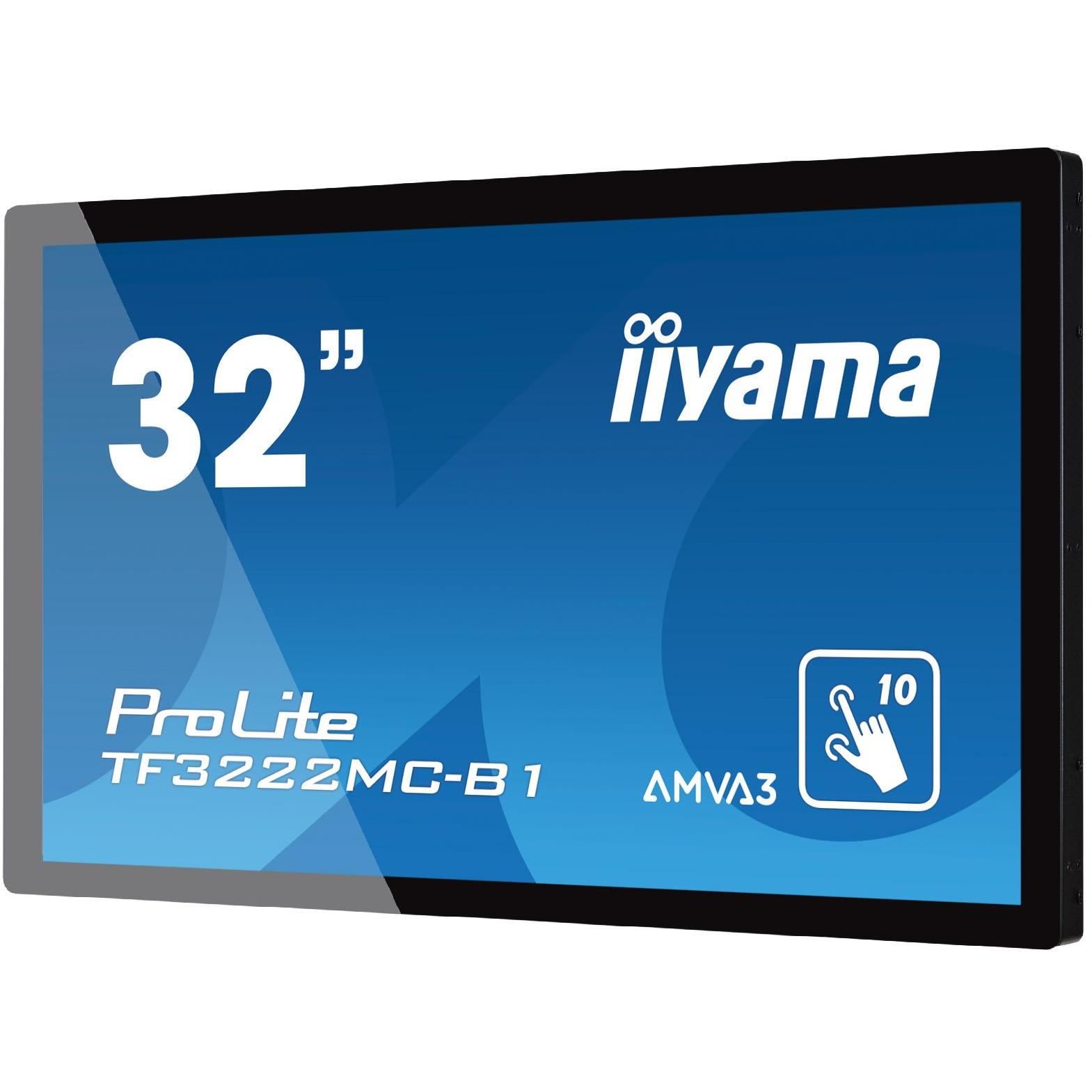
Iiyama TF3222MC‑B1 32” Full HD Display




Sponsored This site contains affiliate links for which we may receive compensation. More information
Find other available options:

| Identifiers | |
|---|---|
| Model | iiyama TF3222MC-B1 |
| MPN | iiyama TF3222MC-B1 |
| Dimensions / Weight | |
| Key Features | |
|
AC input frequency The frequency of the alternating current supplied to the device, expressed in hertz (Hz). It indicates the acceptable operating range for the electrical mains that powers the product.
|
50 - 60 Hz |
|
AC input voltage The alternating current voltage range that the product accepts from its power source, expressed in volts (V). It indicates the minimum and maximum supply voltages compatible with the device.
|
110 - 240 V |
|
Built-in camera Indicates whether the product includes a built‑in camera that can capture images or video directly, without requiring an external device. A value of "Yes" means the device has such a camera; "No" means it does not.
|
No |
|
Built-in microphone Indicates whether the product includes at least one built‑in microphone. A value of "Yes" means that the device has an integrated microphone, while "No" indicates it does not.
|
No |
|
Cables included A list of the cable types that are supplied with the product, such as USB, HDMI, VGA, DisplayPort, LAN (RJ‑45), SATA, audio or other relevant connectors.
|
AC, USB, VGA |
|
Certification A list of official certifications or compliance marks that the product has received from regulatory bodies, safety organizations, or industry standards groups. Each entry represents a distinct certification such as CE, FCC, RoHS, UL, or WEEE, and may include additional details like version numbers or specific test reports.
|
CE, TÜV-Bauart, CU, cULus |
|
Colour gamut The proportion of a reference color space that a display can reproduce, expressed as a percentage. This metric indicates how closely the device’s screen matches standards such as sRGB, NTSC, DCI‑P3 or Adobe RGB, helping users compare visual fidelity across monitors and other visual devices.
|
85% |
|
Digital horizontal frequency The horizontal digital frequency indicates the range of frequencies, expressed in kilohertz (kHz), over which a device can process or transmit horizontal digital signals. It is represented as a minimum–maximum interval and helps users understand the signal bandwidth supported by the product.
|
31.47 - 67.5 kHz |
|
Digital vertical frequency The range of frequencies, in hertz (Hz), at which a display device can refresh its image vertically when operating in digital mode. It indicates the minimum and maximum vertical scan rates supported, helping users assess visual smoothness and compatibility with various content sources.
|
47 - 63 Hz |
|
Display brightness The intensity of light emitted per unit area from a display surface, measured in candela per square meter (cd/m²). It indicates how bright the screen will appear under typical viewing conditions.
|
500 cd/m² |
|
Display Diagonal The measurement of a display’s diagonal, expressed in inches or centimeters. It represents the overall visual area available for content and is commonly used to compare monitors, televisions, laptops, tablets, and other electronic devices.
|
80 cm (31.5") |
|
Display number of colours The total count of distinct colours that a product’s display can reproduce. This value indicates the colour depth or gamut capability of the screen, helping users compare visual fidelity across devices.
|
16.78 million colours |
|
Display resolution The pixel dimensions of a display or image, expressed as width by height (e.g., 1920x1080). It indicates how many pixels are used to render visual content and is commonly used for monitors, TVs, smartphones, cameras, and digital images.
|
1920 x 1080 pixels |
|
Display technology The type of display panel used in a visual device, such as LED‑backlit LCD, IPS, TN, VA, OLED, or AMOLED. It indicates the underlying technology that determines image quality, color accuracy, viewing angles, response time and power consumption.
|
AMVA+ |
|
Display type The visual display technology used by the product, such as LED, LCD, OLED, IPS, AMOLED, or other panel types. It indicates the underlying screen technology that determines image quality, color reproduction and power consumption.
|
LED |
|
DVI port Indicates how many DVI connectors are present on the product. The value is a simple integer representing the total count of DVI ports, regardless of type or version.
|
Yes |
|
DVI-D ports quantity Represents how many DVI‑D connectors are present on the product. The value is a simple integer indicating the total count of DVI‑D ports, regardless of version or internal/external placement.
|
1 |
|
Ethernet LAN Indicates whether the product includes an Ethernet LAN interface for wired network connectivity, allowing data transmission over RJ‑45 or compatible cables.
|
No |
|
Full HD Indicates whether the product is capable of displaying or transmitting video at Full HD resolution (1920 × 1080 pixels). A value of "Yes" means that Full HD functionality is supported, while a value of "No" indicates it is not available.
|
Yes |
|
HD type The pixel dimensions of a screen’s display expressed as width by height (e.g., 1920×1080). It indicates the number of pixels that can be shown on the monitor or device, affecting image sharpness and clarity.
|
Full HD |
|
LED backlight The illumination source used behind a display panel, such as LED, WLED, CCFL or LCD. It determines the brightness, energy efficiency and color accuracy of the screen.
|
Yes |
|
Linux operating systems supported List of Linux operating systems that the product can run or support, including specific versions and architectures when relevant. Each value represents a distinct Linux distribution or kernel version supported by the hardware or software.
|
Yes |
|
Number of OSD languages The total number of distinct languages that can be displayed on the screen‑on‑display (OSD) interface of a device, such as a monitor or TV. It indicates how many language options are available for menu navigation, subtitles, and other on‑screen text, allowing users to choose their preferred language when interacting with the product.
|
8 |
|
Number of simultaneous touchpoints The total count of independent touch points that can be detected on a device at the same time. It indicates how many distinct finger or stylus contacts the screen can recognize simultaneously, which affects multitouch gestures and user interaction capabilities.
|
10 |
|
Panel mounting interface The pair of horizontal and vertical dimensions in millimetres that a product supports for VESA mounting (e.g., "100 × 100 mm"). This value indicates the exact hole spacing required by a mounting bracket to secure the device. It is used for monitors, TVs, projectors and other display equipment that can be wall‑mounted or attached to stands.
|
200 x 200 mm |
|
Pixel pitch Represents the physical size of a single pixel on a display, expressed as width and height in a length unit (e.g., millimeters). This attribute allows comparison of the physical resolution of screens or imaging devices that use metric units to describe the smallest visible point.
|
0.364 x 0.364 mm |
|
Placement supported A list of the positions or mounting options where a product can be installed, such as indoor, outdoor, wall, desk, floor, ceiling, or universal. Each value represents a distinct placement scenario that the device supports.
|
Horizontal/Vertical |
| Power consumption (StandBy) | 1.5 W |
|
Power management Indicates whether the device supports power‑management features such as automatic sleep, wake‑on‑LAN, or energy‑saving modes. A value of "Yes" means the product can enter low‑power states or be remotely controlled to conserve energy; "No" indicates it lacks these capabilities.
|
Yes |
|
Power supply type The type of electrical supply that powers the device, such as mains AC, DC, USB, battery, or a combination of these options.
|
AC |
|
Quick start guide Indicates whether a quick‑start guide is provided with the product. A value of "Yes" means that a brief, introductory manual or overview is included to help users get started quickly; "No" indicates that no such guide is supplied.
|
Yes |
|
Separate H/V sync Indicates whether the product supports separate horizontal and vertical synchronization signals, allowing independent control of timing for each scan line.
|
Yes |
|
Supported Graphics Resolutions The pixel dimensions that a device can output or support, expressed as width by height (e.g., 1920x1080). It indicates the maximum resolution available for display content on the product.
|
1920 x 1080 (HD 1080) |
|
Supported video modes A list of the video resolutions and formats that a product can play or record, expressed in common notation such as "1080p", "720i" or combinations separated by commas. Each value represents an available mode for playback or capture.
|
1080p |
|
Touch Technology Indicates whether a device’s display can detect multiple simultaneous touch points, enabling gestures such as pinch‑to‑zoom or multi‑finger scrolling. The value is "Yes" if the screen supports multi‑touch input and "No" otherwise.
|
Multi-touch |
|
Touchscreen technology The technology used by a device’s touch-sensitive display to detect user input. Common types include capacitive, resistive, infrared, and surface acoustic wave. This attribute helps users understand the interaction method, durability, and sensitivity of the touchscreen.
|
Projected capacitive system |
|
Touchscreen type The technology used by a device’s touch-sensitive display, such as capacitive, resistive, infrared, or optical. It indicates how the screen detects user input and can affect sensitivity, durability, and power consumption.
|
Capacitive |
|
VESA mounting Indicates whether a product supports the VESA mounting standard, which defines the size and placement of mounting holes on displays or monitors. The value can be "Yes" or "No", or it may specify one or more VESA patterns such as "100 × 100 mm" to indicate the exact dimensions supported.
|
Yes |
|
Wall mountable Indicates whether the product can be securely mounted to a wall or other vertical surface using standard mounting hardware.
|
Yes |

iiyama is a Japanese electronics company that produces a wide range of products, including monitors, laptops, and televisions. The company has a strong reputation for quality and innovation, and its products are popular among consumers and businesses alike.


