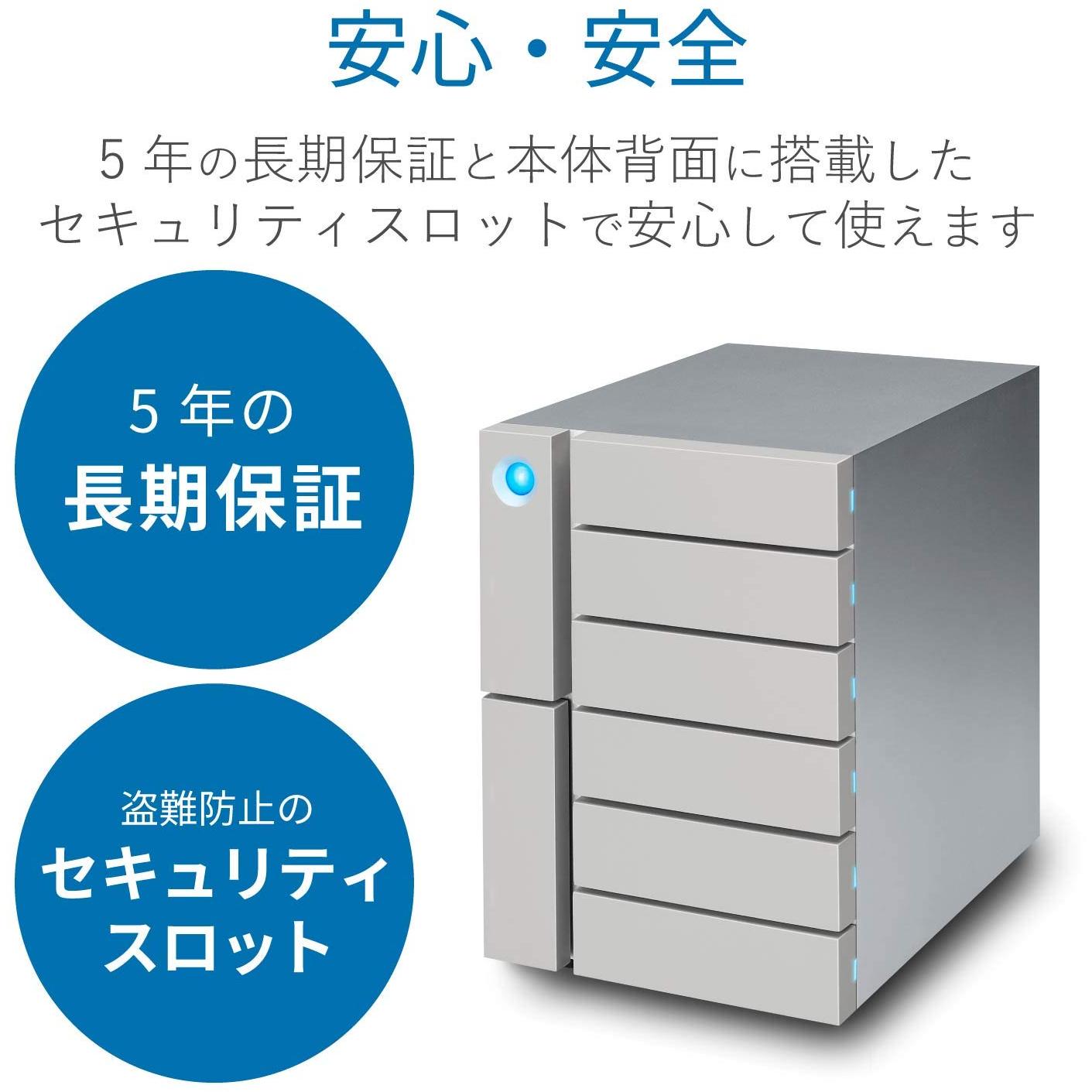
LaCie STFK60000400 6-Disk Thunderbolt 3 Desktop RAID - 60 TB




Sponsored This site contains affiliate links for which we may receive compensation. More information
Find other available options:

| Identifiers | |
|---|---|
| Model | LaCie STFK60000400 |
| MPN | LaCie STFK60000400 |
| Dimensions / Weight | |
| Key Features | |
|
AC input frequency The frequency of the alternating current supplied to a power supply or charger, expressed in hertz (Hz). It indicates the acceptable operating range for the electrical mains that powers the device, ensuring proper functionality and safety.
|
50/60 Hz |
|
AC input voltage The range of alternating current voltage that the product accepts from its power source, expressed in volts (V). It indicates the minimum and maximum supply voltages compatible with the device across different regions.
|
100-240 V |
|
BUS Powered Indicates whether the device receives its power supply through a bus connection such as USB, eSATA, or another standard interface. A value of "Yes" means the product can be powered directly from the bus port, while "No" indicates it requires an external power source.
|
No |
|
Cable Lock Slot Indicates whether the product includes a slot for inserting a cable lock, such as a Kensington or similar security device.
|
Ja |
|
Cable lock slot type Specifies the type of interface or mechanism used to secure a cable in its port, such as Kensington, Noble, IBM, or other standard lock slots. This attribute helps users identify compatibility and security features of the device.
|
Kensington |
|
Cables included A list of the cable types that are supplied with the product, such as USB, HDMI, VGA, DisplayPort, LAN (RJ‑45), SATA, audio or other relevant connectors.
|
AC |
|
Card reader A list of the card reader capabilities supported by a device. Each entry describes a specific type of memory card or interface that the product can read, such as SD, microSD, MMC, or USB On‑The-Go. If a device has no card reader, the list is empty.
|
No |
|
Chassis type The physical form factor of a computer chassis, indicating its size and layout such as Tower, Desktop, Mini‑PC, or rack units (e.g., 1U, 2U). This attribute helps users identify the footprint, mounting options, and compatibility with other hardware.
|
Desktop |
|
Colour The colour or combination of colours that a product is available in, expressed as common names such as "Black", "Silver" or comma‑separated lists like "Black, White". It indicates the visual appearance of the item for consumers.
|
Zilver |
|
Data transfer rate The highest theoretical speed at which a device can send or receive data, expressed in bits per second (bps) or its multiples such as kbps, mbps, gbps, etc. It represents the upper bound of throughput under optimal conditions and is useful for comparing performance across devices and interfaces.
|
40 Gbit/s |
|
Depth The linear measurement of an object from front to back or top to bottom, expressed in a physical unit such as millimeters, centimeters, inches, etc. It indicates how deep the item is and can be used for fitting, compatibility, or spatial planning.
|
237 mm |
|
Device class A free‑text label that identifies the general category or type of a device, such as "NAS", "Server", "Router", "Storage Enclosure" or any other descriptive class used by manufacturers to classify their products. The value is intended to help users quickly understand the primary function or form factor of the item.
|
Large Enterprise Business |
|
DOM Module Indicates whether the product includes a Digital Optical Monitoring (DOM) module that provides optical power, temperature, and other diagnostics for fiber‑optic connections.
|
No |
|
Hard drive speed The speed at which a hard drive’s spindle rotates, expressed in revolutions per minute (RPM). This value indicates how quickly the drive can read and write data, affecting performance for tasks that involve frequent disk access.
|
7200 RPM |
|
Height The vertical dimension of a product measured from its lowest to highest point. It is expressed in a physical unit such as millimetres, centimetres or inches and applies to any item where height is relevant, including books, electronics, furniture and other objects.
|
225 mm |
|
Host interface List of physical or logical interfaces that allow communication between a host device and other components, such as USB, PCI Express, SATA, M.2, Ethernet, Thunderbolt, or similar standards.
|
Thunderbolt 3 |
| Installed storage drive type | HDD |
|
Internal Flash Memory Indicates whether the product contains an internal flash memory component that can be used for storage or firmware. A value of "Yes" means a built‑in flash module is present; "No" indicates it is absent.
|
No |
|
LAN Type The type of network connection supported by the product, such as Ethernet speeds (e.g., 10/100/1000 Mbps) or combined interfaces like 1GbE + 10GbE. It indicates which networking standards are available for data transfer.
|
N/A |
|
Mac operating systems supported A list of macOS operating system versions that the product supports or is compatible with, such as "macOS 10.15 Catalina", "macOS 11 Big Sur" or newer releases. Each entry represents a distinct OS version that can run on or be supported by the device.
|
Mac OS X 10.10 Yosemite,Mac OS X 10.11 El Capitan |
|
Maximum supported storage capacity The largest amount of digital storage that a product can accommodate, expressed as a numeric value with an appropriate unit such as GB, MB, or TB. This attribute indicates the upper limit of data capacity for the device and helps users compare how much information it can hold.
|
60000 GB |
|
Minimum hard disk space The smallest amount of internal storage that a product requires to operate correctly or to store its default content. This value is expressed as a numeric quantity with an appropriate unit such as MB, GB, or TB and helps users understand the minimum capacity needed for installation or use.
|
600 MB |
| Power consumption | 250 W |
|
RAID A comma‑separated list that specifies the RAID configurations a storage device or controller can support, such as 0, 1, 5, 10 and special modes like JBOD. Each entry represents an independent configuration option available to the user.
|
RAID 50 |
|
Storage Drive Capacity The total amount of data that a storage drive can hold, expressed as a numeric value with an appropriate unit such as GB, MB, or TB. This attribute helps users understand how much information the drive can store and compare storage options across devices.
|
10000 GB |
|
Storage drive interface List of physical or logical interfaces that allow a storage drive to connect with other components, such as SATA, M.2 PCIe, U.2, SAS, NVMe or other standard connections.
|
SATA |
|
Storage drives supported The total count of physical slots or bays in a device that can accommodate storage drives such as hard disks or solid‑state drives. This value indicates how many separate drives the product can house, helping users assess expansion capacity and configuration options.
|
6 |
|
USB 3.0 (3.1 Gen 1) Type-A ports quantity The total count of USB 3.0 (also known as USB 3.1 Gen 1) Type‑A connectors available on the product. The value is a simple integer representing how many such ports are present, regardless of other USB versions or connector types.
|
1 |
|
Width The horizontal measurement of a product, expressed in a linear unit such as millimetres or inches. It indicates how wide the item is from one side to the other and is used for sizing, fitting, and compatibility purposes.
|
161 mm |

LaCie is a brand of storage devices, including hard drives, solid state drives, and USB flash drives. The company was founded in France in 1989, and is now a subsidiary of Seagate Technology. LaCie devices are known for their design and durability, and are popular among professional photographers and videographers.


