RubyPro 75‑ft Remote Control (SMK‑LINK VP4592)

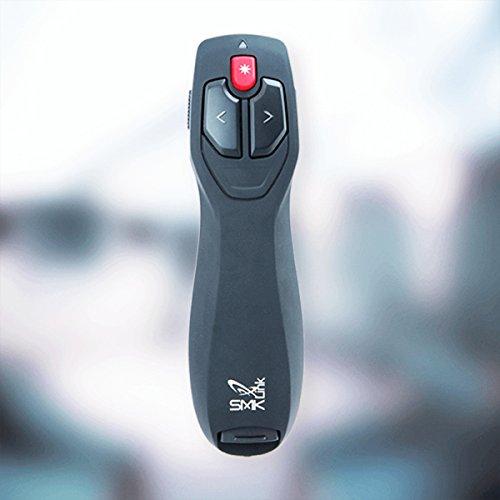


Sponsored This site contains affiliate links for which we may receive compensation. More information
Find other available options:

| Identifiers | |
|---|---|
| Model | SMK Link VP4592 |
| MPN | SMK Link VP4592 |
| Dimensions / Weight | |
| Key Features | |
|
Batteries included Indicates whether the product comes with batteries included in the package. A value of "Yes" means that batteries are supplied, while a value of "No" indicates that no batteries are provided and must be purchased separately.
|
Yes |
|
Battery level indicator Indicates whether a device’s battery level is being displayed or monitored, typically via an LED, screen icon, or other visual cue. A value of "Yes" means the indicator is present and active; "No" means it is absent.
|
Yes |
|
Battery type The chemical composition or classification of a battery, such as alkaline, lithium‑ion, NiMH, or lead‑acid. It indicates the energy storage technology used in the product and helps users identify compatibility with devices that require specific battery chemistries.
|
AAA |
| Buttons quantity | 5 |
|
Colour The colour or combination of colours that a product is available in, expressed as common names such as "Black", "Silver" or comma‑separated lists like "Black, White". It indicates the visual appearance of the item for consumers.
|
Grey |
|
Laser pointer colour The colour of the laser light emitted by a pointer device. It indicates the visible hue (e.g., green, red) that users will see when the pointer is activated. This attribute helps customers choose a device with a preferred laser colour for visibility or compatibility with displays.
|
Red |
|
LED indicators A list of the functions or statuses that an LED indicator on a device can display, such as power status, activity, link, and other operational signals.
|
Activity, Power |
|
Mac operating systems supported A list of macOS operating system versions that the product supports or is compatible with, such as "macOS 10.15 Catalina", "macOS 11 Big Sur" or newer releases. Each entry represents a distinct OS version that can run on or be supported by the device.
|
Yes |
|
Number of batteries supported The total count of battery cells that the product can accommodate or use. The value may be a simple integer (e.g., "4") or include the type of battery (e.g., "2x AAA"). It indicates how many individual batteries are required for operation, whether they are included in the package or need to be purchased separately.
|
2 |
|
On/off switch Indicates whether the product includes an on/off switch that allows the user to power it on or off manually.
|
Yes |
|
Presenter functions A comma‑separated list of the functional features that a presentation device offers, such as laser pointer capability, remote control operation, mouse support, and other interactive modes. Each entry represents an individual feature that can be activated or used by the user.
|
Laser pointer |
|
Quantity Represents the count of individual units included in a product offering, such as pieces, packs, or sets. It indicates how many discrete items are available per purchase.
|
1 |
|
Receiver included Indicates whether the product comes with a wireless receiver included in its package. A value of "Yes" means a receiver is supplied, while "No" indicates that no receiver is provided and must be purchased separately.
|
Yes |
|
USB port Indicates the presence and quantity of USB connectors on a product. The value is typically an integer representing how many USB ports are available, regardless of type or version.
|
Yes |
|
User Guide The mass of the product expressed in a standard unit such as grams or kilograms. It represents how heavy the item is and can be used for shipping, handling, or user information purposes.
|
Yes |
|
Windows operating systems supported A list of Microsoft Windows operating system versions that the product is compatible with, including any relevant architecture or edition information.
|
Yes |
|
Wireless range The maximum distance over which a device can maintain a reliable wireless connection to another device or network. It is expressed in linear units such as meters or feet and indicates the effective coverage area for Wi‑Fi, Bluetooth, RF, or other radio technologies.
|
866.1" (22 m) |
|
Wireless receiver interface List of physical or logical interfaces that a wireless receiver can use to connect with its host device, such as USB Type‑A, USB Type‑C, or audio jacks. The values are free‑text labels describing the connector type and any relevant version information.
|
USB |
|
Wireless technology The radio‑frequency or wireless communication technology used by a product, such as Bluetooth, Wi‑Fi, RF, DECT, ZigBee, Z‑Wave, or other supported protocols. The value is typically a free‑text label that identifies the primary wireless capability of the device.
|
RF |
SMK Link
